
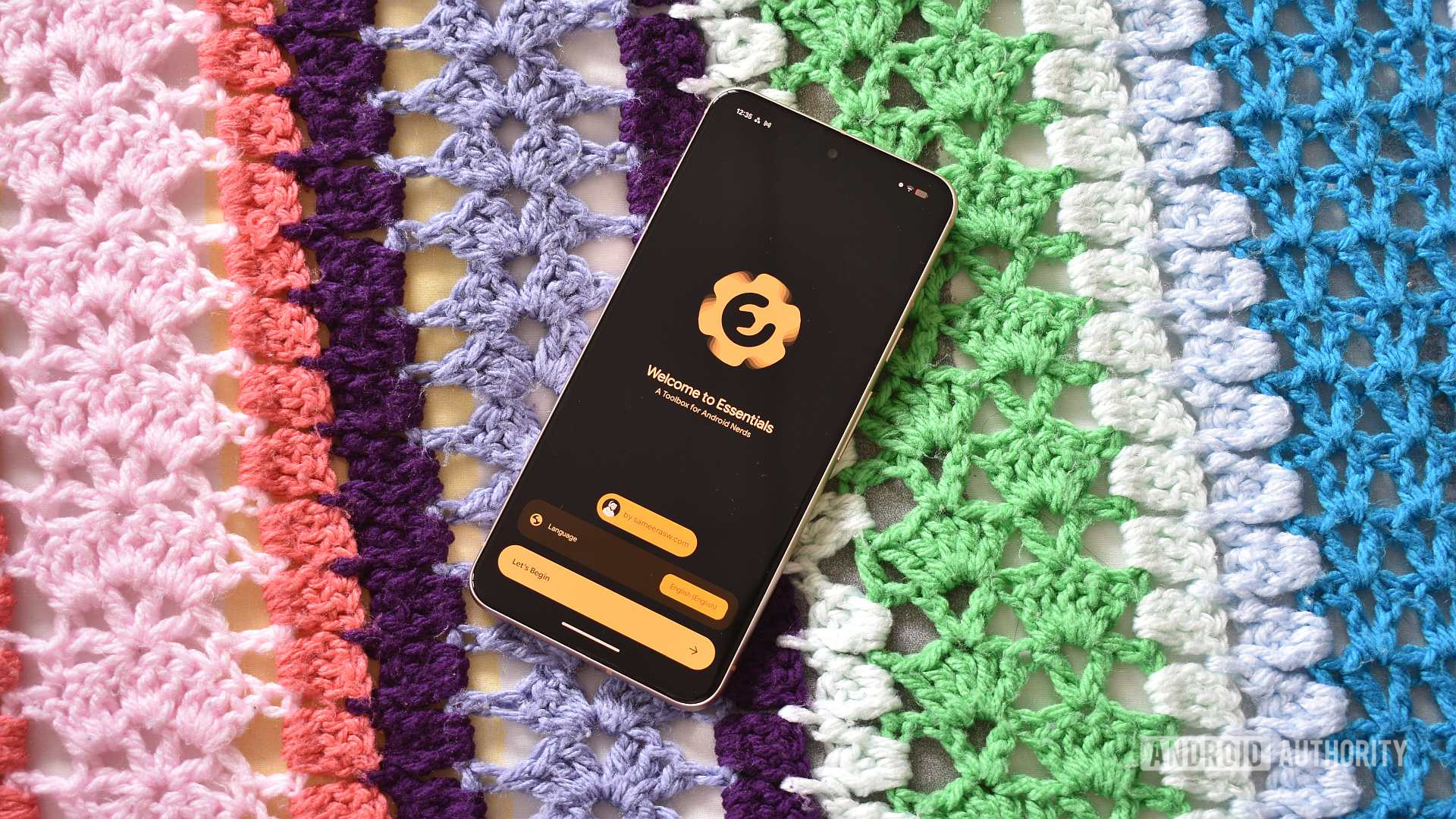
Andy Walker / Android Authority
As a part-time Google Pixel user, there’s one thing I miss dearly when switching over from my Samsung phone: Good Lock. The customization suite has become such an integral part of my One UI setup that I’d find it tough to adjust to a stock Samsung experience. Needless to say, it’s always quite a shock when moving from Galaxy to Pixel.
Google doesn’t offer users a Good Lock equivalent for Pixels, and this is certainly one of the platform’s bigger oversights. I’d love to adjust various swipe triggers, tinker with my recents screen layout, and fine-tune themes and visuals. While we’ll probably never see a similar app on Google’s platform, this hasn’t stopped third-party developers from trying.
I recently stumbled across an open-source app called Essentials, and while it falls short of Good Lock’s sheer breadth of tools and features, it’s the closest equivalent for Pixel phones right now.
Do you want Google to develop a Good Lock equivalent for Pixels?
0 votes
A new essential install for Pixel (and Android) users
Essentials, like Good Lock, houses a collection of “tools, mods, and workarounds for Pixels and other Androids,” its GitHub description reads. While I’ve used it on both my Galaxy S24 FE and Pixel 8, and the developer confirms that it works across most Android devices, I can safely say that it’s far more useful on Google phones.
Although I’m drawing plenty of comparisons between Essentials and Good Lock, there are some vast differences between them. Unlike Good Lock’s collection of modules that users can choose to install, Essentials packs all of its tricks into one bag from the get-go, with each separated by category or function. This, I feel, is a far more approachable way to package a tools-and-tricks app.
So what tricks are on tap, exactly?

Andy Walker / Android Authority
One such example is Dynamic Night Light, an infinitely useful tool for those who use their phones in low-light settings. While Google only offers an on/off switch, Essentials lets you set Night Light conditions per app. This effectively lets me disable Night Light for apps like the Camera, Gallery, VLC, and streaming apps, preventing my phone’s screen from skewing toward amber while keeping it running on all other apps. It’s a minor feature, but one that hugely improves the usability of my Pixel 8.
Then there’s Notification Lighting, which ports Samsung’s Edge Lighting feature over to my Pixel. Essentials offers various options that alert me when a notification comes through, displaying visual flourishes on the screen, from a glow effect to a Google loading animation on the status bar. There are loads of fine-tuning options, too, from the number of pulses available to the color mode itself. This certainly feels like a feature Pixels should offer by default, but Essentials nevertheless unlocks it.

Andy Walker / Android Authority
Essentials also includes fine-tune options for display frame rates with per-app limits, display scaling, and animation features that are usually buried in developer settings, as well as the option to bring the Pixel 10’s Maps power-saving mode to other Android devices. I couldn’t get this particular setting to work on my device, though.
There’s a host of surprisingly useful Quick Settings tiles, too, including a direct Developer Options tile, a UI Blur toggle, a Private DNS tile (which I now can’t live without), and others to enable or disable features offered by Essentials.

Andy Walker / Android Authority
Good Lock does more than just offer users toggles and settings. I primarily use it to bolster Samsung’s Modes and Routines app. Essentials does something similar for Pixel’s Modes, offering an Automations section to quickly create various recipes. Granted, it doesn’t offer sweeping upgrades like Routines+, but it certainly makes the feature more accessible.
Then there’s the Freeze Apps section, which gives me more control over which apps can launch in the background, clawing back some battery life and performance overhead. Again, you can use other third-party tools to freeze apps, but it’s a welcome addition to an all-encompassing toolkit like Essentials.
Essentials is the best Good Lock equivalent for Pixels

Andy Walker / Android Authority
Essentials has now become one of the first open-source Android apps I install on my Pixel, but that doesn’t mean it’s flawless. It’s a little unfair to compare it to Good Lock, given that Samsung’s official tool packs so much functionality and plugs directly into its interface and various add-ons. If you’re expecting similar functionality, then Essentials isn’t for you. That said, what Essentials does is rather impressive, and some of the tools certainly enhance my Pixel experience.
You will need to be aware of a few caveats and the potential dangers, though. Various Essentials features require an array of permissions, from write access to accessibility. Some tools, like Maps’ power-saving mode and several Quick Settings tiles, will need Shizuku to leverage Android’s hidden talents. There are also clear warnings from the developer: Essentials can modify system settings, and this shouldn’t be taken lightly by those unaware of the risks. Good Lock has similar deep-rooted potential, but as an official product, its risks are far less pronounced and easier to reverse.
Nevertheless, Essentials just highlights how desperately Pixels need an official Good Lock alternative that allows power users to tweak various aspects of the experience. This third-party app certainly does its best for now, and considering my reliance on some of its features, I couldn’t imagine living without it.
Don’t want to miss the best from Android Authority?


Thank you for being part of our community. Read our Comment Policy before posting.
[ad_2]
Source link
More on bringing good lock features to my
Stay tuned for updates on bringing good lock features to my as the story develops. Related: These Prime Day foldable phone deals are too good to ignore.
Frequently Asked Questions
An open-source app that is the closest Pixel equivalent to Samsung's Good Lock, packing tools, mods, and workarounds for Pixels and other Androids.
Per-app Dynamic Night Light, Notification Lighting ported from Edge Lighting, per-app frame rate limits, display scaling, Quick Settings tiles, and Automations for Pixel Modes.
Essentials bundles everything into one app by category, while Good Lock uses separate installable modules; Essentials is less broad but more approachable.
Yes, the developer confirms it works across most Android devices, though it is most useful on Pixels.


