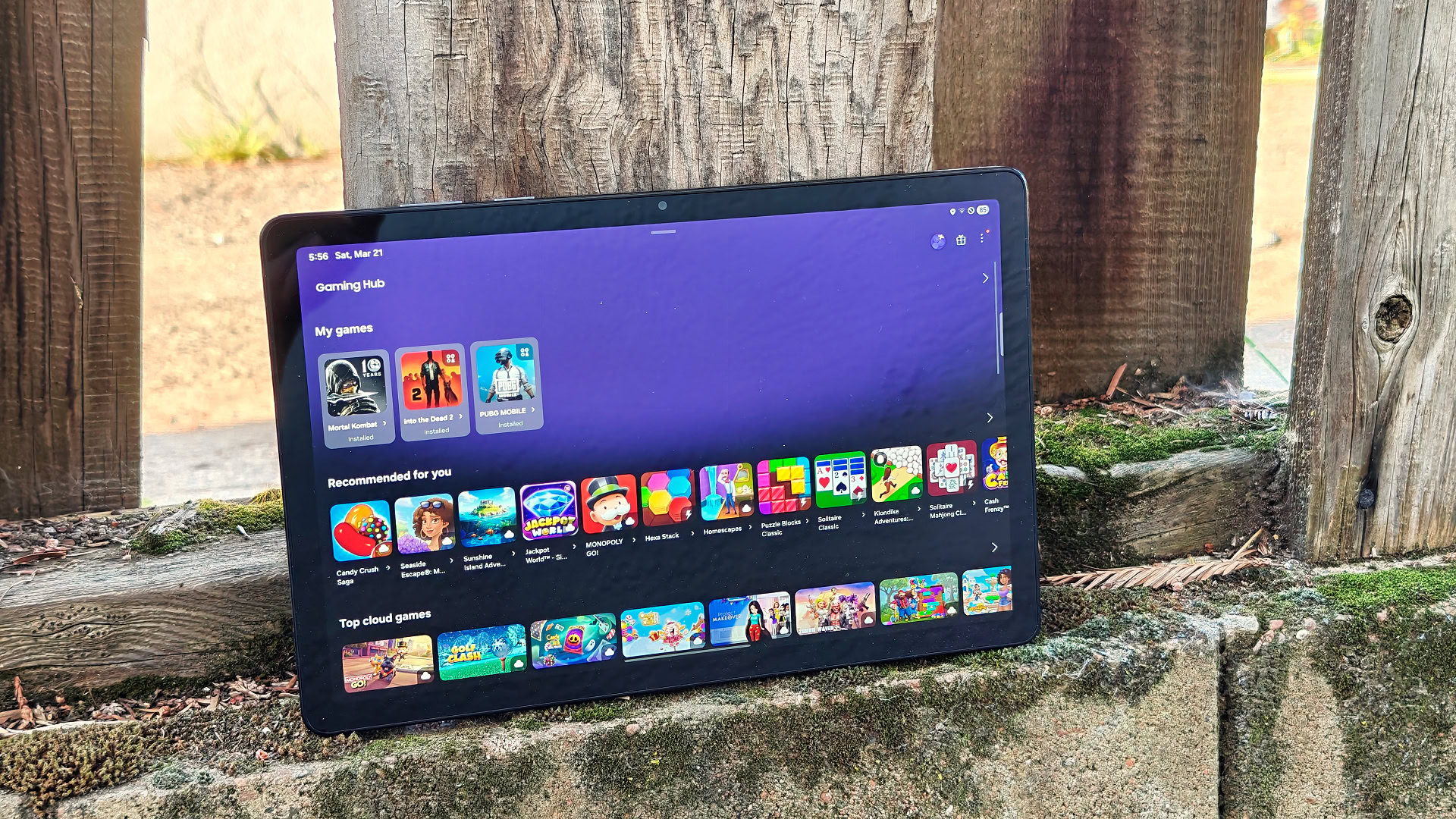
Samsung Galaxy Tab A11 Plus
The Galaxy Tab A11 Plus is essentially the same tablet as the Galaxy A9 Plus from two years ago, right down to the TFT display that should have been the first thing to go. But with a capable processor, a genuinely solid software package, and the option of cellular connectivity in the US, while the Galaxy A11 Plus may not be all that exciting, it’s still the best in its class.
There’s an age-old saying: if it ain’t broke, don’t fix it. No company lives by that philosophy quite like modern era Samsung. In fact, Samsung typically takes it a step further: don’t fix it unless you absolutely have to, or until the competition forces your hand. We’ve seen it with the Galaxy S26 series, with its foldables year after year, and its Android tablets are no different.
Samsung was absent from the budget tablet market for two years after the undeniably solid Galaxy Tab A9 Plus, skipping the Tab A10 entirely before arriving here with the Galaxy Tab A11 Plus. Two years is a long time, and you’d expect Samsung to come back with something that feels meaningfully better. Spoilers: It doesn’t. And yet, if you’re shopping on a tight budget, this is still likely the tablet you’ll end up buying and be happy with… whether you’re excited about it or not.
Déjà vu

Rushil Agrawal / Android Authority
I’ve been testing the 5G-enabled version of the Galaxy Tab A11 Plus for two weeks now, and I can tell you this is physically the exact same tablet as the Tab A9 Plus from two years ago. The dimensions are identical, down to the millimeter: 257.1 x 168.7 x 6.9mm, to be exact. It’s a few grams lighter, but it’s evident that Samsung didn’t spend any time chasing thinness or aesthetics here.
You get the same matte-metallic chassis, the single-camera bump on the back, and those familiar flat edges. You know the look. There is nothing here that stands out, though to be fair, it doesn’t feel cheap either. It is comfortable enough to handle in both portrait and landscape orientations without feeling overly cumbersome, but don’t expect any modern design flourishes.
The Tab A11 Plus feels like any other Samsung tablet from the last several years.
The tablet only comes in a single Gray variant right now, which is exactly as exciting as it sounds. It doesn’t feel slippery, and the build quality is solid, so there’s that. Functionally, you get the basics you would expect. There is a 3.5mm headphone jack and a dedicated microSD slot. My 5G unit also includes a physical SIM card slot.
It’s worth noting that the 5G variant only comes in a single 6GB RAM/128GB storage configuration, while the standard Wi-Fi Tab A11 Plus also offers an 8GB/256GB option if you need the extra headroom.

Rushil Agrawal / Android Authority
There’s no physical fingerprint scanner here, so you’re left relying on 2D face unlock, which was inconsistent in my experience. Unless the lighting was perfect and I held the tablet at just the right angle, it simply wouldn’t work. I eventually gave up and switched back to a PIN, which is also far more secure anyway.
I noticed the Tab A11 Plus lacks any pogo pin connectors, which suggests that Samsung doesn’t plan to release an official keyboard case for this tablet. You can still use a Bluetooth keyboard, but it won’t be the seamless experience you get on more expensive models. Also, the tablet still lacks S Pen support, so if you want to use this for sketching or handwritten notes, you are out of luck.
Stuck in the past

Rushil Agrawal / Android Authority
The first thing I noticed when I turned on the Galaxy Tab A11 Plus was that something looked off about the display. It looked fine when I was looking straight at it, but anything toward the edges of my field of vision appeared noticeably dimmer. A quick check of the spec sheet confirmed what I suspected: this is still a TFT LCD panel.
TFT is an aging display technology that has largely been replaced by IPS panels in almost every reputable device at this price. Compared to IPS, TFT panels suffer from significantly narrower viewing angles and poorer color reproduction. Of everything Samsung could have improved over the past two years, upgrading the panel would have been the most impactful change. It didn’t, and once you notice it, you feel it.
I put the Tab A11 Plus next to my phone to show what I mean about the colors feeling washed out. Not that it’s a fair comparison since my phone has an OLED display that costs significantly more. But it does a good job of illustrating that flat, low-contrast look that TFT panels produce. Colors that should feel warm and punchy come across duller and cooler than they should.

Rushil Agrawal / Android Authority
That said, after a few days with the tablet, you do adjust. The saving grace is that at 480 nits peak brightness, the screen gets bright enough that keeping it cranked up gives you a reasonably vivid picture for everyday use. The 1,920 x 1,200 resolution is sharp enough, and the 90Hz refresh rate keeps scrolling and animations feeling smooth.
What it won’t save you from is the glare. The cover glass on the Tab A11 Plus is extremely reflective, and in any indoor setting with overhead lighting, you’ll be fighting reflections. I found myself constantly adjusting my angle or cranking the brightness even higher just to see past my own ceiling lights. Outdoors is even worse.
The quad-speaker setup is loud enough for gaming or YouTube, and it gets the job done for casual use. But there isn’t enough low-end to make watching movies or TV shows a genuinely satisfying experience.
Something to like

Rushil Agrawal / Android Authority
Samsung has kitted the Tab A11 Plus with a MediaTek Dimensity 7300 chipset, and it is easily the best thing about this tablet. It’s a 4nm, 5G-capable processor, and it’s one of the best options you’ll find in a budget Android tablet right now. In fact, the Tab A11 Plus could easily match the OnePlus Pad Go 2 in benchmark results, and the OnePlus tablet costs almost $100 more.
Apps open reasonably quickly, and while One UI is a heavy skin, the 6GB of RAM on the Tab A11 Plus mostly keeps things moving. I noticed occasional stutters when jumping between several heavy apps at once, which is where the RAM starts to feel a little stretched, but nothing that made me want to put the tablet down in frustration.
The performance isn’t impressive, but it doesn’t get in the way either, which is better than you can say with a lot of budget gadgets.
The real value of this chipset shows up in gaming. I was genuinely surprised to find it can hold a smooth 60fps on titles like PUBG Mobile, as long as you stick to the lowest graphics settings. I tried a variety of casual and mid-tier games over my two weeks with it, and all of them ran well. Unless you’re trying to force something like Genshin Impact or Fortnite onto it, the Tab A11 Plus holds its own without any major throttling or overheating.
Software that might outlive the hardware
The Tab A11 Plus runs on One UI 8 based on Android 16, and Samsung is promising up to seven years of software and security updates. That’s a big deal at this price point, and easily one of the strongest reasons to consider this tablet if you plan on holding onto it for a while. The catch is that this is a budget device, so don’t expect to be first in line for those updates.
In terms of day-to-day use, this is standard Samsung software. If you’ve used a recent Galaxy phone or tablet, you’ll feel right at home. You get features like split-screen multitasking, pop-up windows, and a fairly flexible layout that works well on a larger display. It’s not the cleanest Android experience out there, but it’s feature-rich and generally reliable.
I also appreciated how well it ties into Samsung’s ecosystem. Logging in to my Samsung account on the tablet unlocked a few useful features. I got an automatic prompt to connect my Galaxy Buds 3 Pro to the Tab A11 Plus almost instantly when I opened their case, and features like Quick Share made it easy to move files between devices.
Software experience is another area where the Tab A11 Plus does surprisingly well.
Samsung also included its desktop-like DeX mode, which runs directly on the tablet screen. It is a nice touch for multitasking with resizable windows, though keep in mind that you cannot connect it to an external display to project the desktop.
One thing you won’t find here is any sign of Galaxy AI. There is no AI-powered image editing, advanced writing assistance, or AI-generated wallpapers. You still get access to Circle to Search, you get to use Gemini as the default smart assistant, and you can share your screen with Gemini for help with what you’re looking at.
As for connectivity, I didn’t get a chance to properly test the Tab A11 Plus 5G across different locations, so I can’t speak to its performance on the move. That said, using my T-Mobile SIM around the Bay Area, network performance felt consistent with what I’d expect from a regular smartphone. The tablet supports all major US carriers, so you shouldn’t run into compatibility issues regardless of your network.
Cellular connectivity on a tablet like this won’t matter to everyone, but if you are a frequent traveler or someone who spends hours in cafes with spotty Wi-Fi, having an always-on connection is a major convenience. Plus, it saves you from draining your phone’s battery by using it as a hotspot. However, if this tablet is destined for your couch or bedside table, you are better off saving the extra cash and sticking with the Wi-Fi model.
It’ll last the weekend, but ignore the cameras

Rushil Agrawal / Android Authority
Rounding out the specs is a 7,040mAh battery, which — shocker — is also unchanged from the two-year-old model it replaces. Despite the lack of an upgrade, the battery life remains perfectly adequate. With mixed usage, I consistently got about two to three days of life between charges, averaging around 5-6 hours of screen-on time. If you’re taking this on a quick weekend trip, you can probably leave the charger at home without much anxiety.
When you eventually do need to plug in, Samsung has at least bumped the charging support to 25W. A 30-minute top-up got me to around 40%, and a full journey from zero to 100% took just over 1.5 hours. Just remember that you only get a USB-C to USB-C cable in the box, so you will have to shell out extra for a compatible wall brick if you don’t already have one lying around.
The camera setup here is as basic as it gets, and honestly, that’s exactly how it should be treated. I had to take camera samples for this review, and every single photo I took was a reminder of why you shouldn’t. The 8MP rear camera is strictly for document scans.
The front 5MP camera is somehow even less inspiring. It’ll handle a video call without embarrassing you, but that’s genuinely the ceiling here.
Your five-year-old phone takes better photos than this tablet. Use that instead.
Samsung Galaxy Tab A11 Plus review verdict: Should you buy it?

Rushil Agrawal / Android Authority
Samsung hasn’t tried to reinvent the wheel with the Galaxy Tab A11 Plus. In fact, it has barely touched it. And honestly, for a budget tablet, that’s not always the worst thing. The Dimensity 7300 chipset holds up well for everyday use, performance rarely gets in the way, and you get one of the more feature-rich Android experiences in this segment. Seven years of promised software updates is also something no other manufacturer at this price comes close to offering, and the upgraded chip means it’ll get longer into that lifespan without slowing down.
The only thing I genuinely wish Samsung had changed is the display.
Switching to an IPS panel would have made this a much easier recommendation across the board. The TFT screen isn’t a total deal-breaker, and you do adjust to it after a few days, but if you use your tablet primarily for streaming and media consumption as I do, you’ll feel it every time you sit down to watch something.
That said, context matters. At this price point, there aren’t many tablets that get everything right. Plus, Samsung still offers a few genuinely useful advantages. The Tab A11 Plus 5G model works reliably across major US carriers, and there are very few mainstream options that offer cellular connectivity in this segment.

Rushil Agrawal / Android Authority
DeX mode on the Tab A11 Plus 5G
If I were shopping with around $300 in my pocket, I’d seriously consider the Lenovo Tab Plus ($272.3 at Amazon) instead. It has a proper IPS display with a higher resolution, a built-in kickstand, and a speaker setup that makes it a genuinely great all-in-one media machine. You’d give up cellular connectivity and take a hit on the chipset, but for couch use, it’s the more enjoyable device.
For a bit more money, the OnePlus Pad Go 2 ($399.99 at OnePlus) offers a brighter display, faster charging, and stylus support, though you’d again lose out on cellular connectivity in the US and Samsung’s class-leading update policy. If your budget stretches further, hunting down a discounted Galaxy Tab S10 FE ($499.99 at Amazon) or Tab S10 Lite ($399 at Amazon) will get you a much more well-rounded experience with better displays and S Pen support included.
If you want a tablet that stays connected on the go without relying on your phone’s hotspot, the Galaxy Tab A11 Plus 5G becomes one of the more practical choices.
Ultimately, this tablet exists because of the unique reality of the US market. Samsung can get away with a fairly iterative update to a solid product, some two years later, because there is almost no competition at the sub-$250 price point. The Tab A11 Plus is already seeing discounts to close to $200, and I wouldn’t be surprised to see it dip under $200 soon. At that price, the frustrations of the screen become much easier to swallow, and the value it brings as a basic, reliable Android tablet makes it much harder to argue with.
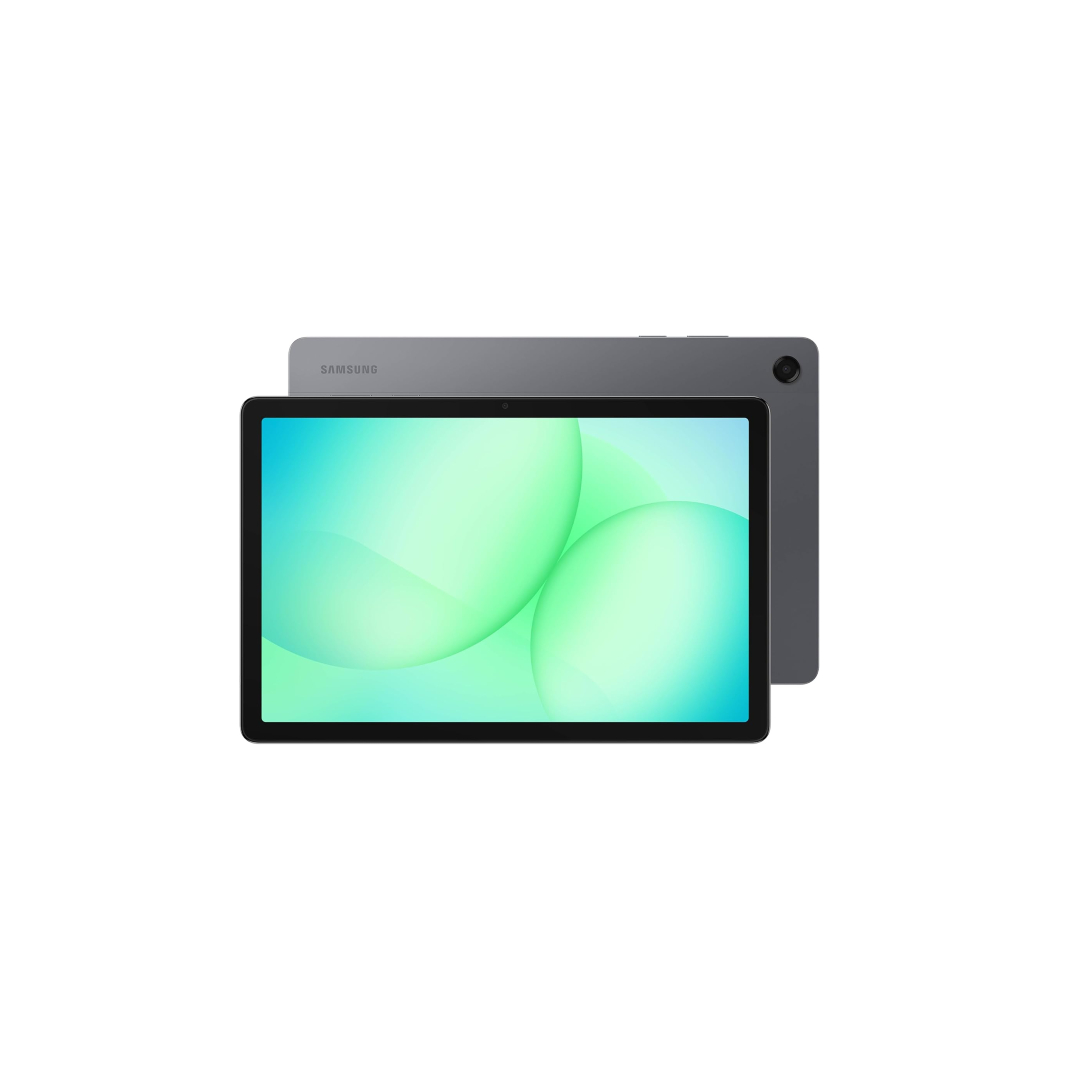

MSRP: $249.99
The Samsung Galaxy Tab A11 Plus is a budget-friendly 11-inch Android tablet with a 90Hz Full HD+ display, MediaTek octa-core performance, and up to 8GB RAM/256GB storage, paired with a 7,040mAh battery, Dolby Atmos speakers, and optional 5G — built for media, light work, and everyday use.
Positives
- Capable Dimensity 7300 chipset
- Seven years of software support
- 25W wired charging
- 5G model option
Cons
- Outdated TFT display panel
- No physical fingerprint scanner
- No S Pen support
Thank you for being part of our community. Read our Comment Policy before posting.
[ad_2]
Source link
More on the best budget android tablet
Stay tuned for updates on the best budget android tablet as the story develops. Related: A sizeable Prime Day discount makes the Samsung Galaxy A56 too easy to recommend.
Frequently Asked Questions
It has a capable processor, a genuinely solid software package, and the option of cellular connectivity in the US. The reviewer says it may not be exciting, but it is still the best in its class.
Physically it is the exact same tablet: identical dimensions of 257.1 x 168.7 x 6.9mm, the same matte-metallic chassis, single-camera bump, and flat edges. It is a few grams lighter and still uses a TFT LCD display.
The 5G variant only comes in a single 6GB RAM/128GB storage configuration, while the standard Wi-Fi model also offers an 8GB/256GB option. Both have a 3.5mm headphone jack and a dedicated microSD slot.
No. It lacks S Pen support, and there are no pogo pin connectors, which suggests Samsung does not plan an official keyboard case. You can still use a Bluetooth keyboard, but it will not be as seamless.