Hadlee Simons / Android Authority
TL;DR
- You can now download a working PC port of The Legend of Zelda: The Minish Cap.
- The port requires the Minish Cap game ROM, though.
- This news comes as we see plenty of other console games unofficially ported to PC in recent months.
We’ve seen a stream of console games decompiled and recompiled in recent years, often resulting in unofficial PC ports. Now, we can add one of the best handheld Legend of Zelda games to the list.
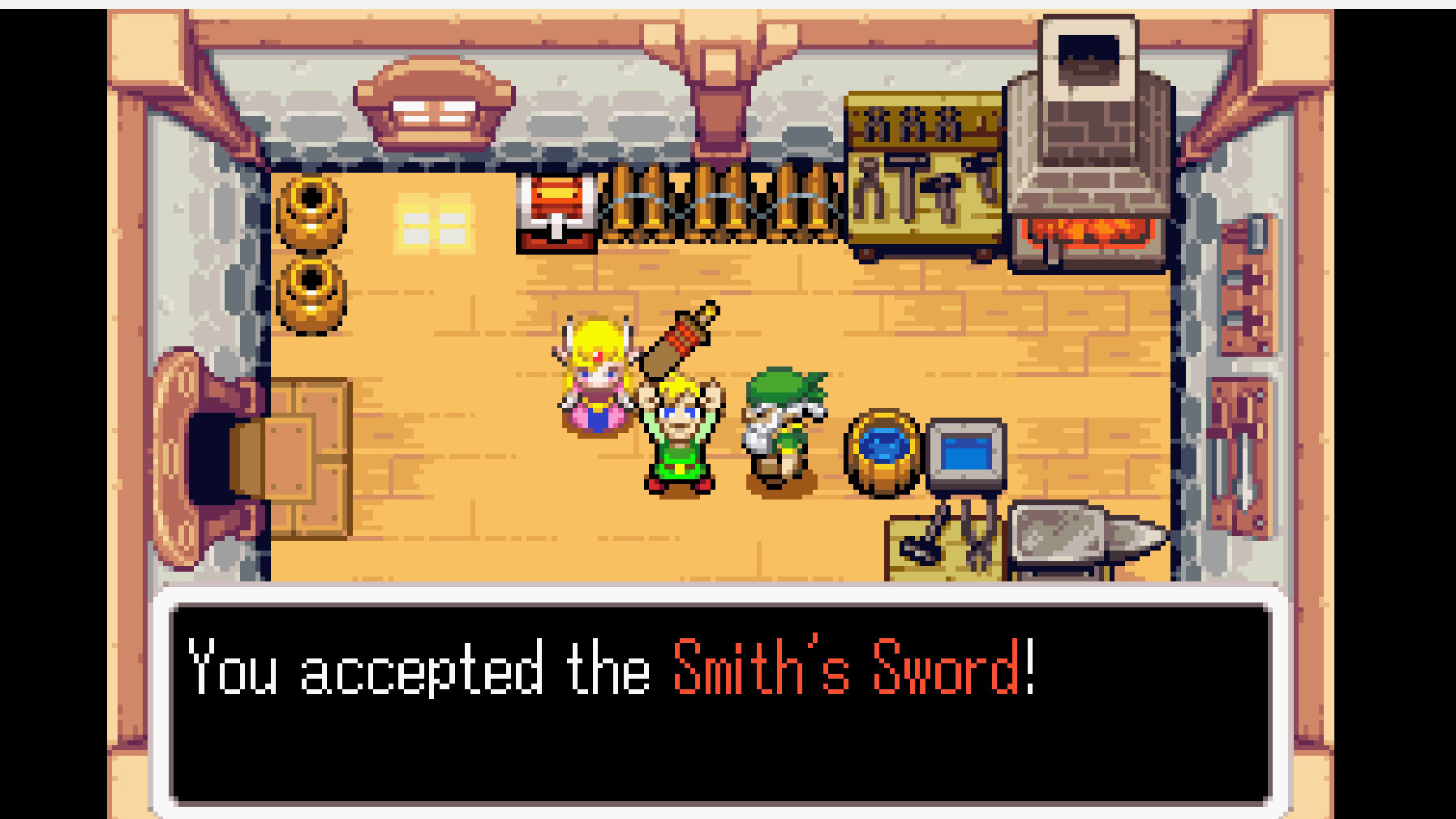
Game Boy Advance title The Legend of Zelda: The Minish Cap has just received a working PC port (h/t: Retro Dodo and PixelCNinja) via developer 999sian. This PC port, titled TMC, requires users to have a copy of the game ROM.
Don’t want to miss the best from Android Authority?


The setup process is pretty easy on Windows, as you download the release from GitHub and uncompress the file (as well as the resulting TAR file). From here, you place the Minish Cap ROM in the same folder as the asset_extractor and tmc_pc applications. Do note that the ROM needs to be renamed baserom.gba for the US ROM. You can then launch the tmc_pc app, and it will extract the required ROM data. This process should take 30 seconds to a couple of minutes, but the game should automatically boot up after this. You don’t need to go through the extraction process again with subsequent app launches.

Hadlee Simons / Android Authority
Once you’ve actually booted into The Minish Cap’s PC port, you’ll find that the keyboard controls should work fine. However, I’m also pleased to see that my Xbox One controller works without fuss. Furthermore, you can tap the L button (mapped to A on the keyboard) to enter the PC port’s settings menu. This menu lets you adjust window scaling up to 10x, switch between filters (nearest, smooth, sharp, linear), switch between various frame rate options, and toggle full-screen view.
Those expecting swanky new graphics, mod support, widescreen support, and other capabilities might be disappointed. But this is literally a brand-new PC port, so you should keep your expectations in check for this initial release. Nevertheless, it stands to reason that we could see more features and options with subsequent releases.
This release comes after a few more console games were unofficially ported to PC in recent months. Other notable ports in 2026 include Quest 64, Banjo Kazooie, and Jak 3. These projects usually deliver much better performance than emulation while also supporting modern features like widescreen output, HD visuals, and more.
The release also follows in the footsteps of other unofficial Legend of Zelda ports, like Ocarina of Time, Majora’s Mask, and A Link to the Past. So there’s no shortage of PC ports if you’re a fan of the series.
Thank you for being part of our community. Read our Comment Policy before posting.
[ad_2]
Source link
More on one of the best handheld zelda
Stay tuned for updates on one of the best handheld zelda as the story develops. Related: The best Prime Day gaming deals.
Frequently Asked Questions
Yes, the PC port titled TMC requires you to have a copy of the Minish Cap game ROM. The port's asset extractor pulls the required game data from your own ROM.
Download the release from GitHub and uncompress the file plus the resulting TAR file, place the Minish Cap ROM in the same folder as the asset_extractor and tmc_pc applications with the ROM renamed baserom.gba for the US ROM, then launch the tmc_pc app. Extraction takes 30 seconds to a couple of minutes and only happens on the first launch.
Yes, the author's Xbox One controller worked without fuss, and keyboard controls work fine too. Pressing the L button, mapped to A on the keyboard, opens the port's settings menu.
No, this brand-new initial release has no swanky new graphics, mod support, or widescreen support. It does offer window scaling up to 10x, filters, frame rate options, and fullscreen toggles, with more features expected in later releases.