AI is affecting how many of us software engineers build; we’re prompting more code and producing much more of it. The tools are also adapting, with command-line interfaces gradually becoming more popular than IDEs. But what about operating systems? To find out, I reached out to the leading Linux distribution – the team at Ubuntu – and the Windows team, about how AI is changing their operating systems.
Today’s article focuses on Linux and Ubuntu, and we’ll cover Windows in a follow-up issue. Obviously, I reached out to Apple but heard nothing back, unsurprisingly. If you’re reading this and happen to work at Apple, it’d be great to learn more!
Jon Seager is VP of Engineering at Canonical – the company behind Ubuntu – and has provided new details about what the team there has built for AI support, and some new ideas that they’re brewing up. Today, we cover:
Hardware enablement: support for GPUs, NPUs and DPUs. When you turn on a machine with AI accelerators, Ubuntu aims for the hardware to perform at its full potential. This means having proper driver support for PCs and cloud data centers’ computing units.
Hardware partnerships. Working closely with NVIDIA, AMD, and Intel means Ubuntu can support those vendors’ new hardware from release day.
CPU architecture variants. New versions in a CPU family add to, or change, features. An operating system needs to support a new version of the CPU architecture variant in order to fully utilize it. Ubuntu does this for the x86‑64 family, making it a lot more performant on newer CPUs – while still supporting older CPUs.
Local-first bet & plans for agentic workflows. There’s a big focus on running local models and using “inference snaps” which help choose the right model with the right quantization. There is the intention to support agentic workflows at the OS level, one day, which is currently at the early exploration stage.
Developer ecosystem. There’s a plan to add more support for AI dev tools, a focus on sandboxing at the OS level, a push to support ARM64 laptops more, and we touch on the popularity of Windows Subsystem for Linux (WSL).
Engineering culture. A skeptical attitude to AI at Canonical has given way to one where experimentation is encouraged and devs lean into AI tools, but there are no targets for token usage or amounts of AI-generated code.
What other Linux distributions are doing. Arch Linux takes the “DIY your AI setup” approach, Omarchy makes it easy to install AI tools, while Red Hat Enterprise Linux ships with AI integrated into the command-line and support for AI accelerators & popular AI tools.
The bottom of this article could be cut off in some email clients. Read the full article uninterrupted, online.
Jon mentioned he detects a “Dotcom Boom”-era vibe in the industry, like around when “web 1.0” was created, and indeed, lots of startups today aim to be the Google-style success story of this “AI era”. At Canonical, the team asked: what does that mean for Ubuntu as an operating system?
For instance, should Ubuntu join the competition and try to position itself closer to AI, or keep focusing on what they’ve done for decades: build an operating system? Jon said:
“We need to make sure to remain a relatable and accessible system. I don’t think we should blur the line between application features and the OS itself. So, the most powerful thing we can do is hardware enablement.”
Hardware enablement means that if a computer (typically, a laptop) has AI-related hardware, Ubuntu should allow it to make full use of it. This involves adding support for GPUs, NPUs, DPUs and other types of accelerator cards. Let’s briefly go through each.
As is likely widely known by readers, ‘GPU’ stands for Graphics Processing Unit. Originally built for graphics rendering, its #1 use case is no longer in video games but for AI training and inference. GPUs come in two forms:
Integrated GPUs: located on the same die (integrated circuit) as the CPU, like GPUs on Apple’s M-series processors
Discrete GPUs: separate chips on their own board; often for gaming, or in standalone GPU rigs for AI and ML workloads
NVIDIA leads the market in discrete GPUs for rigs with its Blackwell family, and in standalone GPU cards with the NVIDIA RTX series. Other vendors like AMD offer GPUs for data centers (like the Instinct MI300 Series) and for PCs with the AMD Radeon series.
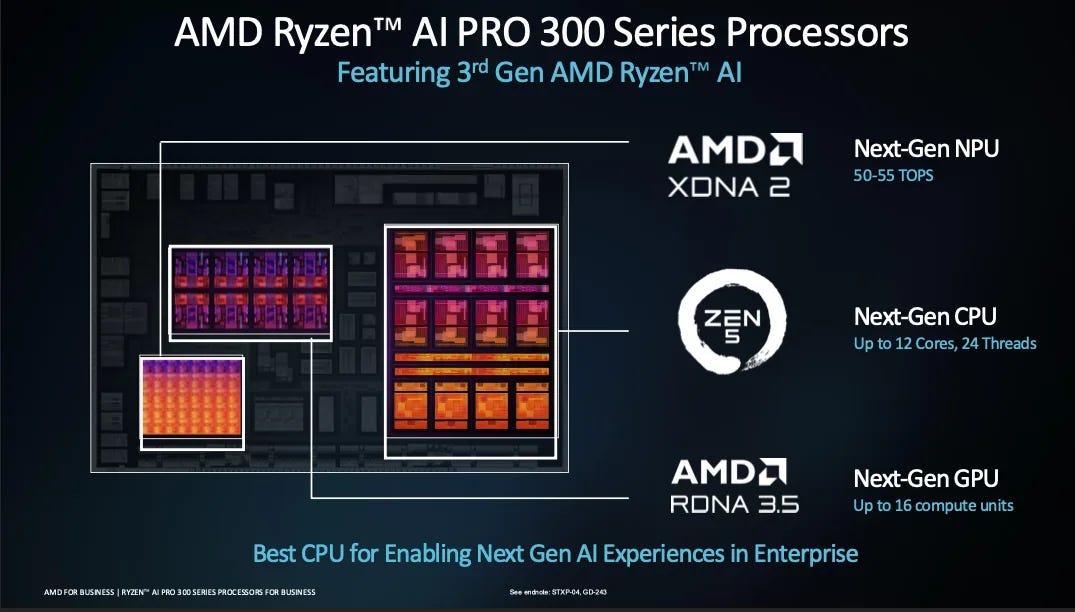
Neural Processing Units (NPUs) are also called “AI accelerators.” This is a dedicated block on the System-on-a-chip (SoC), on modern processors especially designed for running AI inference efficiently on‑device. Since 2022, many modern processors have had a dedicated NPU block, including all Apple’s M-series chips (from M1 and up), Intel’s Core Ultra and Core Ultra “Series 2”, AMD’s Ryzen AI 300 series, and also Qualcomm’s Snapdragon X Elite and Snapdragon X Plus.
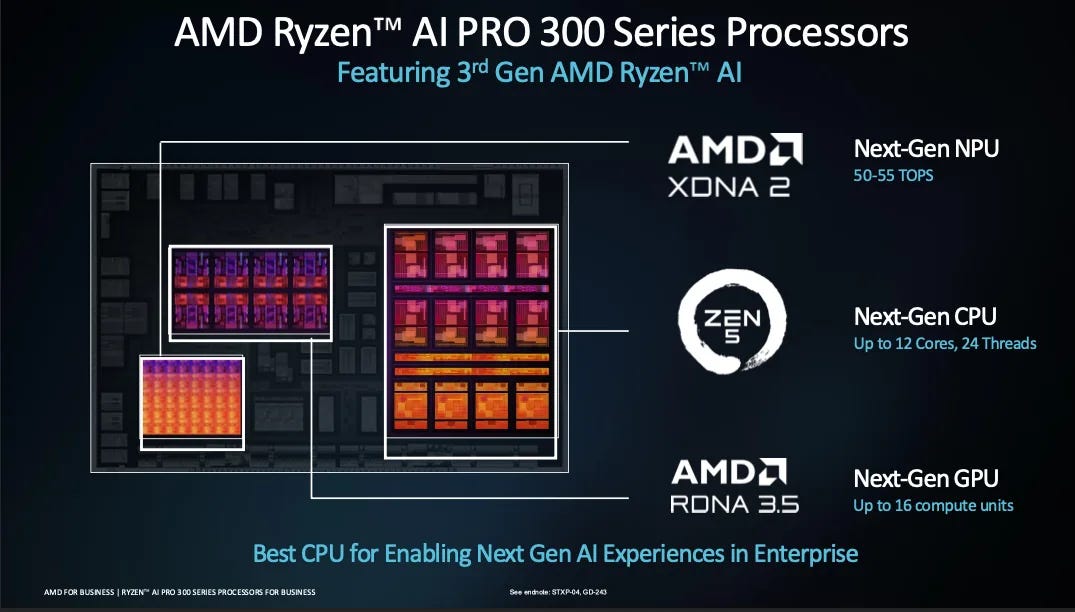
A number shared for each NPU is TOPS. TOPS means Tera (trillions) of Operations Per Second, and the said operation is a “multiply-accumulate” (MAC) one, which Qualcomm describes as:
“A multiply-accumulate (MAC) operation executes the mathematical formulas at the core of AI workloads. A matrix multiply consists of a series of two fundamental operations: multiplication and addition to an accumulator. A MAC unit can, for example, run one of each per clock cycle, meaning it executes two operations per clock cycle. A given NPU has a set number of MAC units that can operate at varying levels of precision, depending on the NPU’s architecture.”
How TOPS is calculated: TOPS = 2 × MAC unit count × Frequency / 1 trillion.
“Frequency” refers to the clock speed (cycles per second) at which an NPU and its MAC units (as well as a CPU or GPU) operate, which directly influences overall performance. Processors at higher frequencies allow for more operations, but higher frequencies also mean more energy consumed, heat generated, and battery life decreased. The TOPS number that’s quoted for processors is generally the peak operating frequency.
NPUs are often ideal for low-power, local inference, and for running smaller, local models. They can be useful for things like Local speech‑to‑text (dictation, captions, meeting transcription), video background blur/replacement or auto‑framing, small local language summarization, etc. NPUs are more typical of laptop and PC processors, although some phone processors ship with them like the iPhone (A-series chips) and Google’s Tensor processor in Pixel phones. Basically, NPUs promise to bring efficiently-running local models on laptops one step closer.
Data Processing Units (DPUs) are typically found in data centers, moving massive amounts of data fast. NVIDIA’s explanation:
“The CPU is for general-purpose computing, the GPU is for accelerated computing, and the DPU, which moves data around the data center, does data processing.
A DPU is a new class of programmable processor that combines three key elements. A DPU is a system on a chip, or SoC, that combines:
An industry-standard, high-performance, software-programmable, multi-core CPU, typically based on the widely used Arm architecture, tightly coupled to the other SoC components.
A high-performance network interface capable of parsing, processing and efficiently transferring data at line rate, or the speed of the rest of the network, to GPUs and CPUs.
A rich set of flexible and programmable acceleration engines that offload and improve applications’ performance for AI and machine learning, zero-trust security, telecommunications, and storage, among others.”
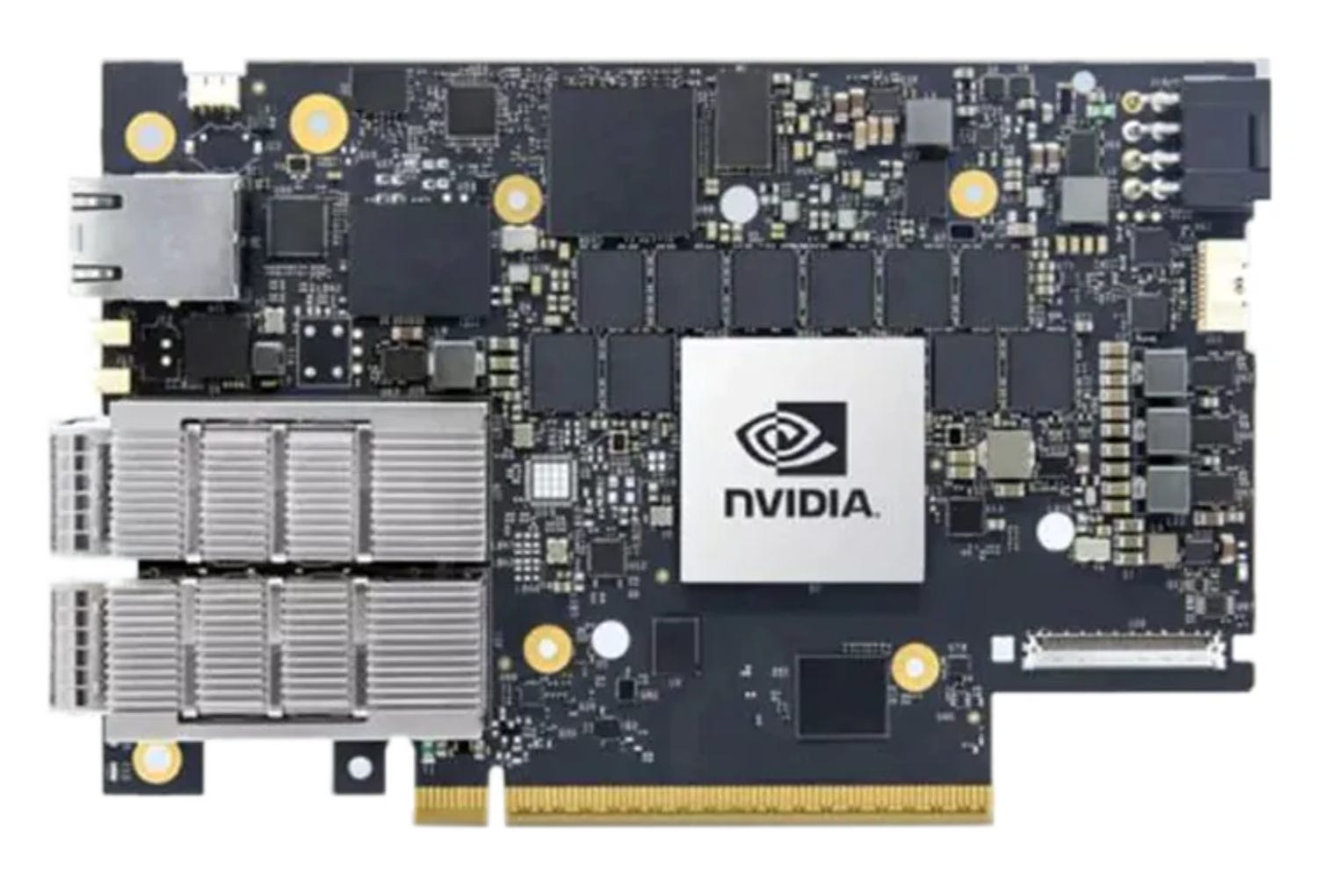
Several major chipmakers manufacture DPUs, of which NVIDIA’s BlueField family is the most widespread. Others include AMD Pensando DPUs (Elba, Giglio), and Intel IPU / DPU cards (E2100, E2200 series).
DPUs are most commonly deployed inside Hyperscale cloud providers (AWS, Azure, GCP, OCI), or in AI and high-performance computing (HPC) data centers, or larger private clouds. DPUs make sense when GPU traffic is huge, or when the network telemetry overhead is so great that it could overwhelm the CPUs processing the data transfer.
It’s easiest to add support to hardware by working with leading chip manufacturers, so Ubuntu has relationships with hardware vendors for that reason. As a result, the OS sometimes offers day-one support for cutting-edge AI supercomputers.
In September 2025, Canonical announced it would package and distribute the full NVIDIA CUDA toolkit directly within Ubuntu’s repositories. This deal collapsed into a single standard apt install, something that had previously been a multi-step manual installation process of downloading from NVIDIA’s site, importing GPG keys, pinning a separate APT repo – and praying nothing broke.
Packaging and distributing the CUDA toolkit makes developing with CUDA easier. From Jon:
“One of the trickiest things for developers who have to use this tech is the dance of matching the right version of Python, with the right version of CUDA, with the right driver. Projects end up with different versions of CUDA, and then machines end up breaking because the driver configuration gets inadvertently broken along the way.
The number one thing we can do as an operating system is to make this setup as easy as possible.”
Ubuntu’s strategy of working directly with chipmakers seems to be working. NVIDIA recently discontinued its custom NVIDIA DGX OS — a modified Ubuntu it maintained for years — and now ships plain Ubuntu. Jon:
“Previously, NVIDIA shipped NVIDIA DGX OS for which NVIDIA had an agreement with Canonical where they could take Ubuntu, modify it with the kernel modules and software they needed, do some product-specific optimization, and ship that as NVIDIA DGX OS.
This more recent development sees NVIDIA just shipping Ubuntu as it comes.
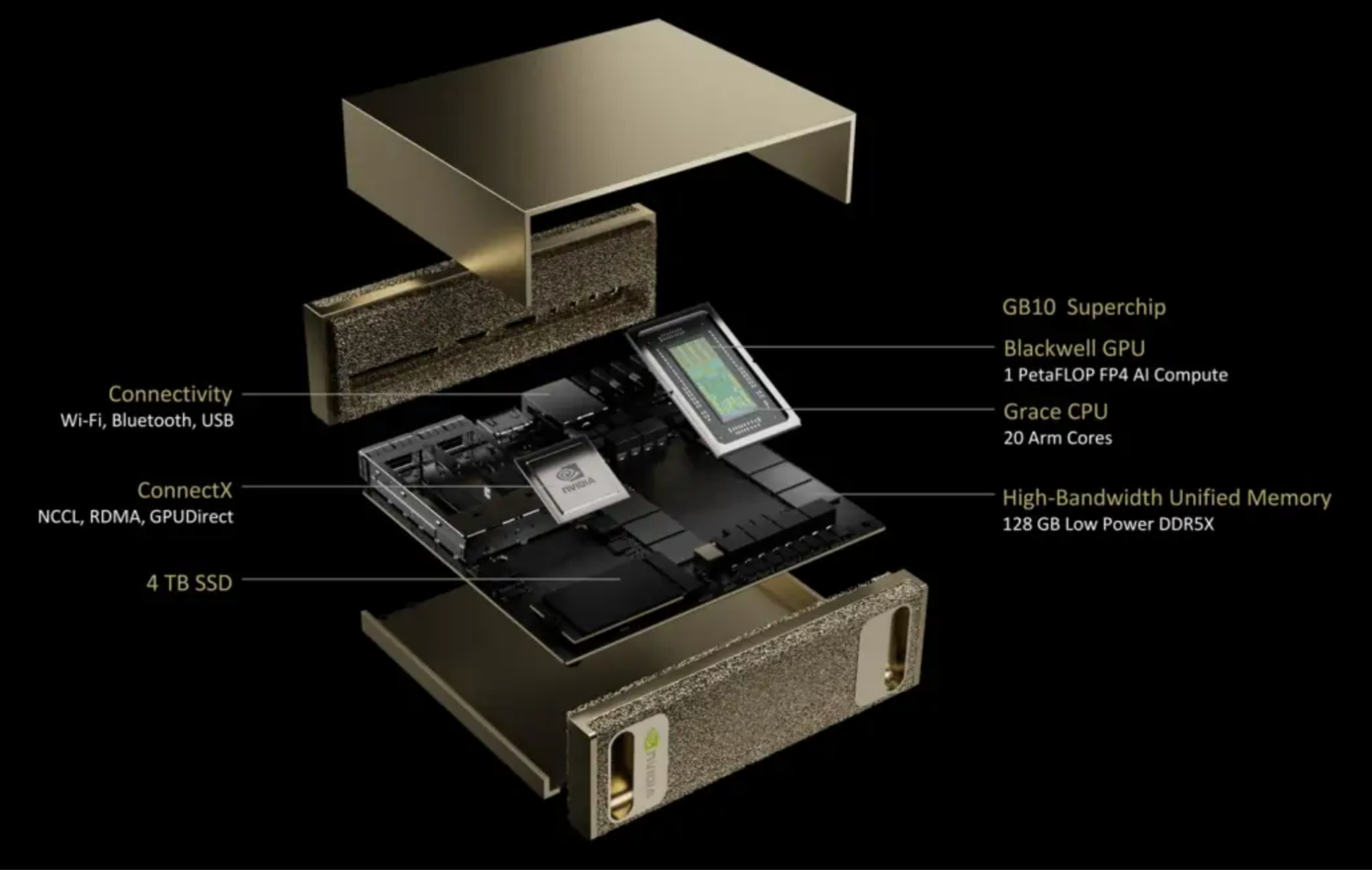
When NVIDIA released the DGX Spark, a $4,000 AI workstation with an ARM64 chipset, it shipped running vanilla Ubuntu as the only supported operating system.”
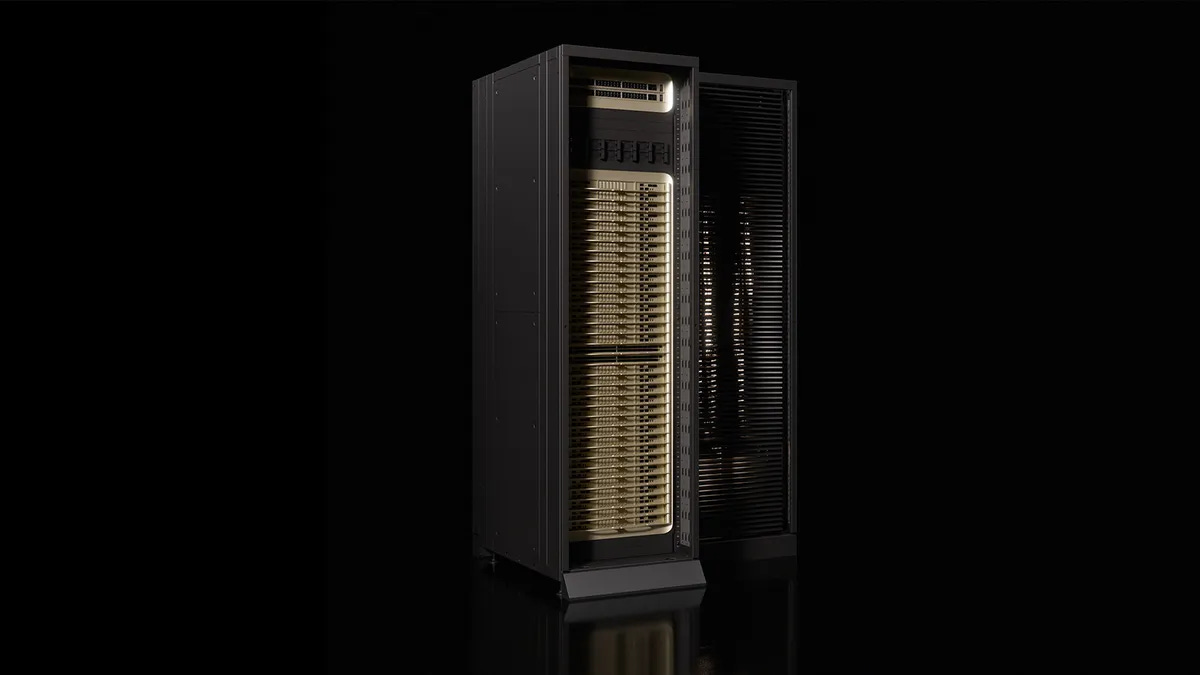
At CES 2026 in January, Canonical announced Ubuntu support for the NVIDIA Vera Rubin NVL72 rack-scale architecture, with day-one platform readiness in Ubuntu, version 26.04 LTS (Long-Term Support: at least 15 years for enterprise customers).
It’s clear Ubuntu and NVIDIA enjoy a strong partnership, but Canonical aims to remain neutral, Jon says:
“We have an amazing partnership with NVIDIA, but we do the same with Intel, the same with AMD, the same with Qualcomm, and the same with MediaTek because in reality there is hardware being released every day, and if we don’t maintain those partnerships, the ecosystem becomes even more fragmented than it already naturally is.”
Last December, Ubuntu announced native support for AMD ROCm, and also ships with Intel’s OpenVINO toolkit. Ubuntu 26.04 LTS will be the first major distribution to natively package all three GPU compute stacks — NVIDIA, AMD, and Intel — with long-term enterprise support. Under Ubuntu Pro, ROCm LTS releases receive up to 15 years of security maintenance.
Security maintenance means that if vulnerabilities or critical incompatibilities are discovered in an LTS version, Canonical will patch them even if the upstream vendor no longer supports those versions and no longer backports security patches.
AMD Instinct accelerators are gaining traction in HPCs and sovereign AI deployments, as enterprises look for alternatives to CUDA-locked hardware. AMD’s SVP and Chief Software Officer, Andrej Zdravkovic, said the partnership would make it “easier for developers and enterprises to deploy AMD solutions on supported systems.”
Chip vendors want to collaborate because it means less work for them to add operating system-level support. Jon:
“It’s a win-win on both ends. Silicon companies are in the business of building the best chips they can, and partnering with Canonical means they have to concentrate on fewer things which are not their core focus. My hope is that partnering with Canonical helps them to focus on what they’re best at, while enabling us to help with what we’re best at: integrating, shipping and maintaining a Linux distribution.”
Modern x86 processors support multiple instruction set generations: x86_64 v1, v2, v3, v4, and v5. ARM has a similar hierarchy. Each generation adds capabilities, such as AVX-512 instructions that accelerate machine learning workloads.
Let’s take the x86_64 instruction set. The instruction set is versioned. These are the versions:
For x86_64: v1, v2, v3, v4, v5…
For ARM: ARM v8.2, v8.3, v9…
Until recently, Ubuntu ran slower on newer CPUs in order to keep supporting older ones. So, when installing Ubuntu compiled for AMD64, the OS supported architecture variants for AMD64 v1.
Supporting v1 has the advantage that the oldest of AMD64 processors can run this Ubuntu version. But if Ubuntu decided to support v2 instructions, then v1 processors could not run the OS! The OS did not use the new instructions; for example, a modern processor with hardware accelerators like AVX-512, didn’t use them.
Canonical has reworked its build infrastructure to produce binaries with specific architecture variant support. So, in the case of running an x86_64 v3 compatible processor, you can download an Ubuntu OS variant that’s compiled specifically for x86_64 v3.
One tradeoff the Ubuntu team had to make was building binaries several times, which takes up more processing time and storage at their end. Then again, the Ubuntu team doing this once means that users don’t need to do recompilation, which made it an easy tradeoff, Jon told me.
Now, Ubuntu supports x86_64 v3 as an architecture variant and plans to do more. Jon says:
“Today, we’ve released x86_64 v3 as a variant, but the capability in our build and delivery pipelines unlocks the ability to add variants for the next RISC-V RVA versions, for ARMv9, ARMv10, ARMv11 and so on.
We will start now onboarding variants to make sure that when you go and buy your latest Snapdragon laptop, your operating system and all of the parts of it are using the silicon to its fullest.”
Adding support for architecture variants was a significant undertaking. Jon explains:
“This work was especially complex because combined with having the hardware physically available in the build farm, Canonical also needed to make the build scheduler aware, and thread the capability through the build systems of Debian packages, Snaps, OCI images, virtual machine images, etc. As it stands, the capability exists for Debian packages, and support for further package types will land shortly.
In addition to the build infrastructure, work needed to be done on downstream package managers (apt, snap, …) and schedulers to ensure they pull the right version of packages, and consideration needs to be given to what happens if a VM containing x86_64 v3 code ends up trying to boot on v1 hardware, and so on.”
If you’ve tried to run an LLM locally on your machine, you’ll know it comes with friction. Jon:
[ad_2]
Source link
More on how will ai change operating systems
Stay tuned for updates on how will ai change operating systems as the story develops. Related: Microsoft Adds 8GB Configs to Drop Starting Price of Surface Pro and Surface Laptop.
Frequently Asked Questions
Hardware enablement. According to Canonical's Jon Seager, when a machine has AI accelerators, Ubuntu aims for the hardware to perform at its full potential through proper driver support for GPUs, NPUs, and DPUs.
Ubuntu works closely with NVIDIA, AMD, and Intel so it can support those vendors' new hardware from release day.
There is a big focus on running local models and using inference snaps that help choose the right model with the right quantization, plus early exploration of supporting agentic workflows at the OS level.
Arch Linux takes a do-it-yourself approach to AI setup, Omarchy makes it easy to install AI tools, and Red Hat Enterprise Linux ships with AI integrated into the command line plus support for AI accelerators and popular AI tools.