Tushar Mehta / Android Authority
Android is going through one of its biggest transformations lately, and piggybacking on that change are widgets. They are quickly becoming a glanceable source of even more information right on your home screen with multi-page widgets and a more uniform layout for fitness and productivity apps. They are very much becoming more capable and useful than their past selves, and all these changes are quite welcome.
But I’d be lying if I said widgets on Android are now realizing their full potential after these changes. They still leave a lot of room for improvement, and I think the following are the areas Google needs to prioritize.
Which Android brand currently has the best widget experience?
1 votes
Widgets need to be truly AI-native

Adamya Sharma / Android Authority
It’s not like Android didn’t already have contextual intelligence within widgets. Pixel’s At a Glance is a prominent example of this. But that’s yesterday’s news compared to the deep Gemini integrations and the kind of smart work Android is doing these days, and none of that has truly reached widgets themselves yet. They continue to behave like static mini apps instead of a more adaptive system.
It’s about time Android used its AI wizardry to surface the widgets you’d need in the moment or proactively based on your location or time. Maybe it could go even further with predictive behavior to surface temporary widgets along the lines of Magic Cue. With Gemini using Personal Intelligence to its benefit, I’d expect the broader Android operating system to also become more aware of your routine needs.
Actual lock screen widgets

Joe Maring / Android Authority
I’m aware that Android 16 introduced lock screen widgets in a substantial way, but to me, the idea feels half-baked in its current form. Android’s lock screen widgets are merely an extension of their home screen counterparts. You literally add additional lock screens to show the same widgets that already exist on your home screen. If I need to swipe through multiple pages just to access widgets — that are supposed to be glanceable — why wouldn’t I just unlock the phone and look at the home screen instead?
Rather than simply showing regular home screen widgets on the lock screen for the sake of having them, I would have preferred a different approach. Widgets should integrate more naturally into your existing lock screen instead of pushing you to create multiple dedicated pages. Google needs to reimagine the purpose of lock screen widgets — which is not the same as home screen widgets — and make them more glanceable on the AOD and lock screen without needing unnecessary gestures just to view them.
Native cross-device continuity

Mishaal Rahman / Android Authority
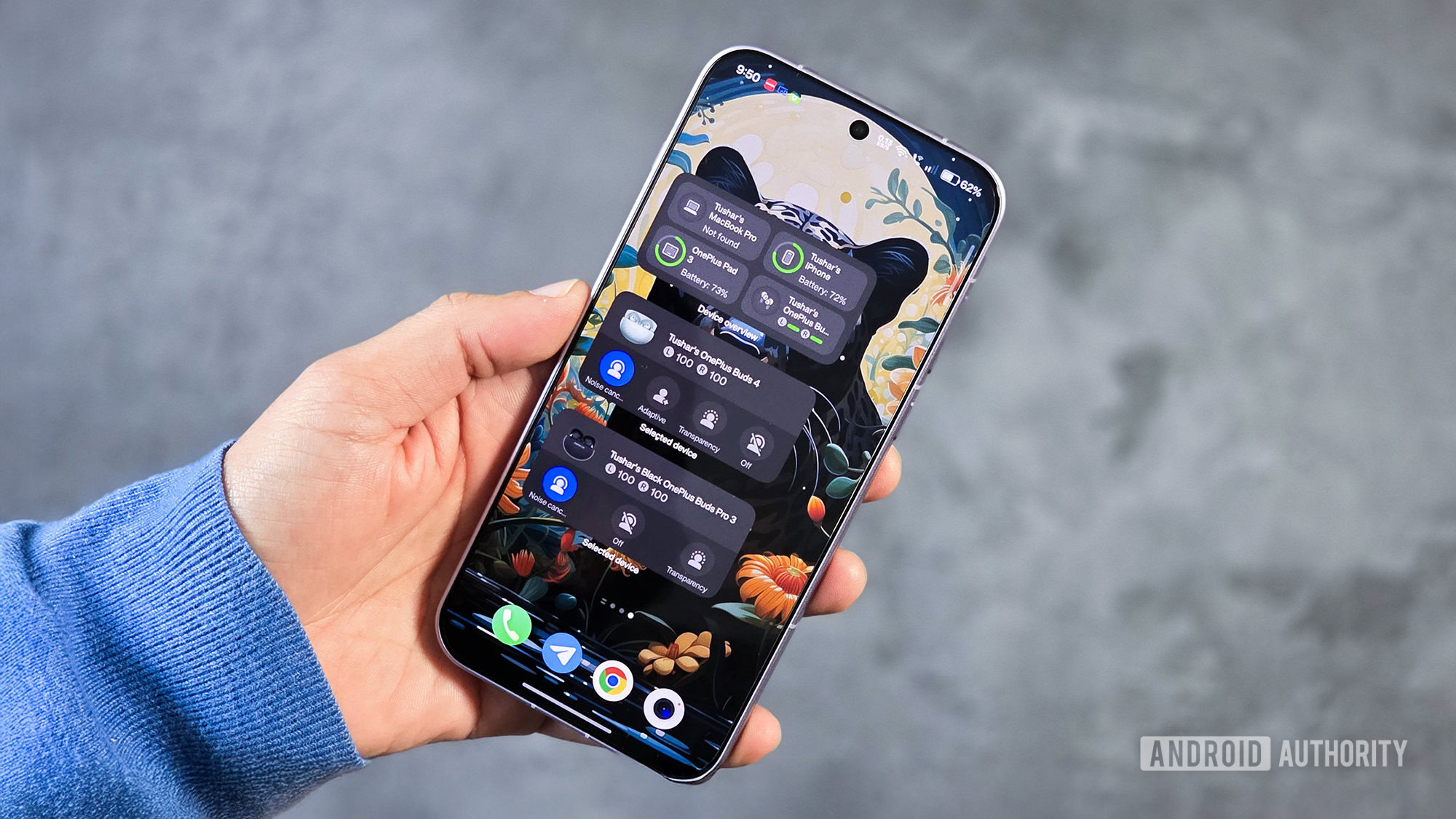
There barely used to be an Android ecosystem to speak of, but with the soft revival of Android tablets and people increasingly pairing Android phones with Wear OS smartwatches, there is now a need for Apple-like cross-device continuity features that extend to widgets, too.
Widget sync does happen right now, but it typically happens through the host app’s cloud or backend system, not by two Android devices in close proximity talking directly to each other. That’s also why sync behaviors vary so much depending on the app you’re using, often leading to inconsistent refresh times. If Android were to natively handle this communication directly, say between your Android phone and tablet, it has the potential to become a much stronger ecosystem component.
Widgets are as fragmented as Android

Joe Maring / Android Authority
The fragmentation of Android as an operating system extends beyond its core and affects functionalities like widgets, too. From Samsung to Nothing, everyone has their own interpretation of how widgets should look and function on their devices. They all have their respective underlying rules, and they are significantly different from what we see on Pixels directly from Google.
I’ve faced widget incompatibilities, with different features being supported depending on the device or launcher you are running. These inconsistencies exist despite Google’s efforts to unify widget identity with newer APIs, but it’s clearly not working to its full potential. It further gets worse with duplicate implementations, like Pixel’s At a Glance has a direct rival in Samsung’s Now Brief widget.
The way Google addressed the erratic app scaling issues we faced across different screen sizes — from regular bar phones to foldables from different brands — is the kind of intervention widgets now need too.
Visual cohesion is amiss

Ryan Haines / Android Authority
Barring first-party widgets from Google and other OEMs, your home screen can quickly start looking like a dysfunctional junkyard with just a handful of widgets. It almost feels like every app deliberately wants to ruin your home screen by being just different enough from the others. Each app’s widget snaps to a different grid size, and within that, they all have their own animations, response behavior, spacing, transparency, and corner radii, all of which make the entire screen feel jarring.
Unlike Apple, Google’s Android is in a unique position where Pixel phones maintain their own visual identity, including widgets, while every other Android phone manufacturer does the same. At the very least, Google could enforce certain basic widget design guidelines that would help save my home screen from looking like an utter mess. This is really one of the strongest reasons why I feel drawn toward the iPhone.
Don’t want to miss the best from Android Authority?


While widgets on Android have already come a long way, they still have a long path ahead with the changing needs of the broader Android ecosystem and the deep integration of AI. These changes would finally bring widgets up to speed with our evolving smartphone needs. If you want to add your own wishlist to this, feel free to comment below.
Thank you for being part of our community. Read our Comment Policy before posting.
[ad_2]
Source link
More on 5 features android widgets still need
Stay tuned for updates on 5 features android widgets still need as the story develops. Related: These Prime Day foldable phone deals are too good to ignore.
Frequently Asked Questions
The article highlights truly AI-native widgets, real lock screen widgets, native cross-device continuity, and less fragmentation across brands.
Widgets still behave like static mini apps instead of adapting to the moment. The article argues Gemini's Personal Intelligence should proactively surface widgets based on location, time, or routine.
Android 16's lock screen widgets are just home screen widgets placed on extra lock screens, requiring swipes to reach them, which defeats the glanceable purpose.
Samsung, Nothing, and others each have different widget rules and looks, so sync behavior and refresh times vary by app and brand.