Aamir Siddiqui / Android Authority
An elderly relative, a gullible friend, or someone who just isn’t all that tech-savvy: we all have those people who make us wish that there were reverse parental controls on Android. The reality is that complicated UIs combined with malicious actors are making it easier than ever for scams and dodgy apps to target people who don’t always have their guard up.
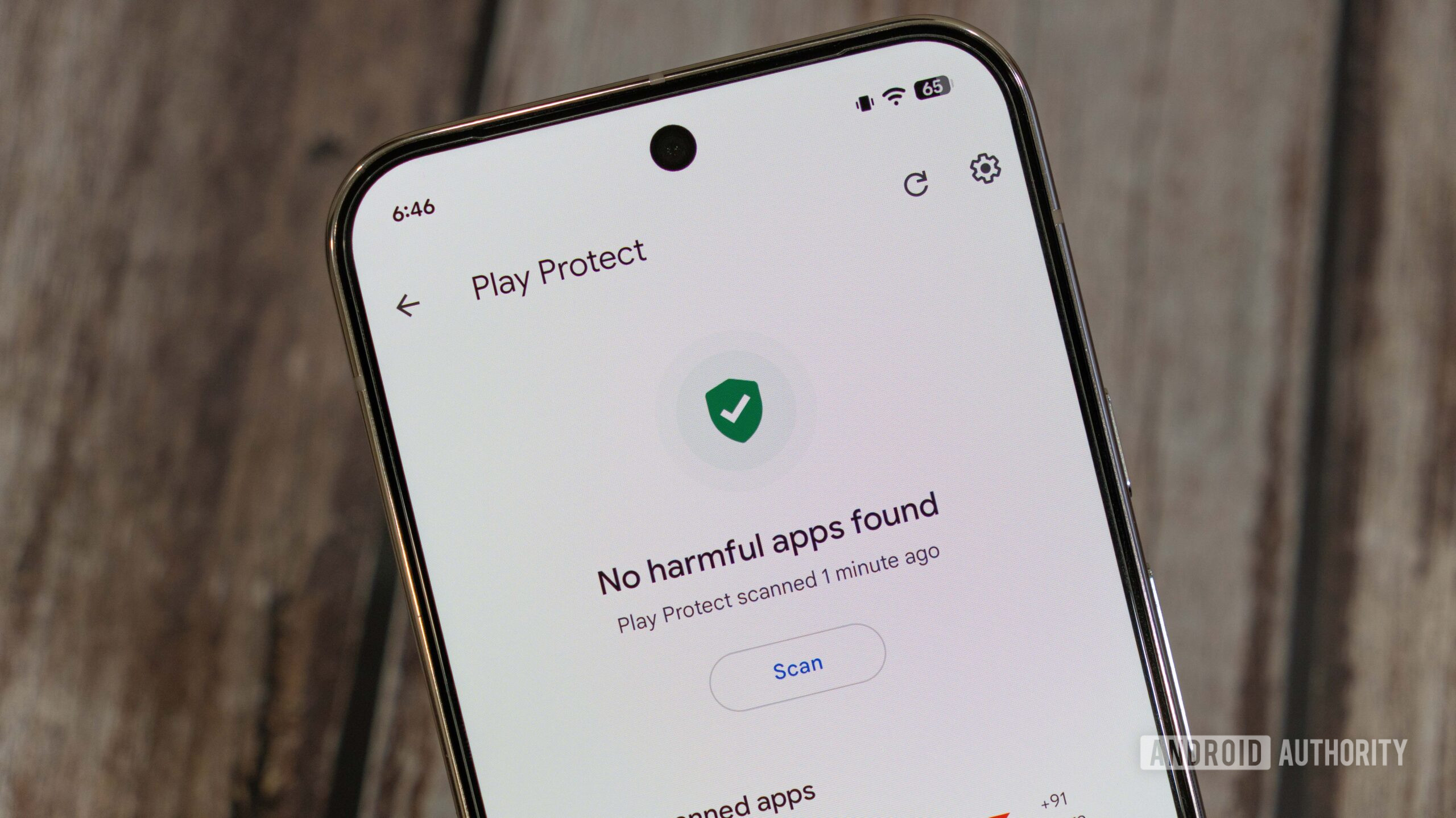
Google’s Play Protect service is meant to defend users of the Play Store from malicious applications. But when my boyfriend’s grandmother asked me to help her with her Android phone, I realized that the service is failing to identify these apps.
Do you think Play Protect does enough to identify malicious apps?
61 votes
Apps requesting excessive permissions target unwitting users

Andy Walker / Android Authority
While Google is introducing a new sideloading process, I think that if the company is serious about reducing scams on Android, it needs to look at the Play Store. I’ve heard multiple instances of people being tricked into installing dodgy apps through ads. These ads pose as system notifications and lead the user to a Play Store listing to download the app under the guise that it’s providing an essential feature or update. In reality, it’s just a vector to deliver more ads to generate revenue for the developers.
For example, my colleague Andy mentioned that his father tapped on an ad for a so-called critical update and ended up installing different PDF apps, which delivered more ads for more downloads.
When I was visiting my boyfriend’s grandmother, she complained of the incessant ads she was receiving on her phone. She kept receiving messages that she needed a new PDF reader or that her phone didn’t have enough space. She wasn’t sure what had caused the change; she just noticed one day that her UI had completely changed.
I told my boyfriend to help her run a malware scan on her phone. He had tried to help her before but wasn’t sure how to identify the app that was causing issues. He used Samsung’s Device Care app to scan the phone, and it identified one app with excessive ads. However, even after uninstalling it and receiving a clean scan, her UI had still not reverted to the original.
They handed me her phone to see if I could find the issue, which is when I realized that this wasn’t a simple case of an app delivering pop-ups. Rather, she had an entirely different launcher on her phone that replaced her app drawer, widgets, and Google Discover feed. Even searching for apps in her app drawer brought up additional ads. Meanwhile, the widget posing as Google Search displayed even more ads.
It’s also likely that this app was using her search data for more targeted ads. Although she wasn’t sure what she had done to cause the issues on her phone, the app had managed to get her to grant a significant number of permissions that compromised her data and her experience.
Despite this, Google Play Protect didn’t identify the culprit

Megan Ellis / Android Authority
I decided to use Google Play Protect to scan for the culprit, thinking it would be the best choice to identify problematic apps. But the service didn’t find any issues with the device. While Play Protect scans for malware, it’s also supposed to identify adware. The warning that’s typically displayed is, “This app may display ads with unexpected behaviors (for example, outside the app environment, cannot be easily dismissed, or interfering with device functionality).” However, the app continued undetected.
Eventually, I could get an idea of which app was causing the issue since I kept seeing a prompt to change the default messaging app when swiping to the left-most screen. Notably, trying to search for the app didn’t bring it up in the app drawer. When I long-pressed the app icon on the home screen, the pop-up to uninstall it didn’t appear.
Play Protect failed on two fronts: it didn’t identify the app as adware before it appeared on the Play Store, and its scan didn’t identify the app as problematic after install.
In my opinion, Google’s Play Protect service had failed on two fronts. It failed to identify the app as Mobile Unwanted Software when it was approved on the Play Store. While its app name was simply “Messages,” its main purpose was to replace the phone’s launcher and display ads. Its permissions give this away as it differs from other messaging apps due to its permission for widgets.
Play Protect then failed a second time to identify the app as adware when it was on my boyfriend’s grandmother’s device. While free launchers often display ads, there were more ads than I’ve ever seen in any launcher. Often these ads are limited to the launcher settings. But with this app, they were part of most menus on the device.
How I managed to fix the phone
When I kept receiving the prompt to change the default messaging app, I realized that the guilty software was posing as a texting app. Trying to uninstall it from the home screen or app drawer didn’t work, so I decided to head to the Google Play Store.
There is a way to check what app is acting as your phone’s launcher, but this setting is somewhat buried. Searching for “home” or “launcher” won’t bring it up. Rather, you have to go to Settings > Apps > Default apps > Home app (the exact steps will depend on your Android skin).
Since I hadn’t changed a launcher in around a year, I completely forgot about these steps. So instead, I used the Google Play Store’s account menu to manage the installed apps on the device. To do this, I went to the Google Play Store, selected the account icon at the top right of the app, then selected Manage apps and device > Manage. I made sure the filter was set to This device so that I could see all the apps installed on the phone.
I then scrolled through all the installed apps. This would’ve been a more difficult task on a device with more apps, but luckily my boyfriend’s grandmother didn’t have that many installed. I actually nearly missed the app, since it had a generic “Messages” title and a chat blurb icon that looks similar to the discontinued Samsung Messages app. Luckily, my boyfriend pointed out that this wasn’t Samsung Messages, and I clicked on the app to see that it was, in fact, developed by another company.
I used the manage apps menu in the Google Play Store to remove the offending app, which posed as a simple messaging utility.
After uninstalling the app, the UI reset back to Samsung’s default One UI, and my boyfriend’s grandmother had control over her device once again.
I’ll never know what ad convinced her to download the app in the first place. But when I did a quick search of the Google Play Store, I saw that it’s filled with messaging apps that promise dubious functionality. Some claim to save battery power, and I even spotted one that promised to allow you to receive SMSes without internet — even though you don’t need an internet connection for SMSes.

Megan Ellis / Android Authority
I eventually tracked down the same app that she had installed on her phone — an app with no reviews and around 10k downloads. It has since updated its app title to include the fact that it’s also a launcher, but it keeps its description vague enough that non-tech-savvy users will think that they’re installing a messaging app. I temporarily installed the app and can see how my boyfriend’s grandmother likely granted the extra permissions, as the app spams you with prompts to enable certain features. It makes it extremely easy for someone who doesn’t know what a launcher even is to install one and activate it.
The same company also makes a QR code scanner that is also a launcher, confirming my belief that the launcher functionality is just a vector to deliver more ads. Neither messaging apps nor QR code scanners require launcher functionality to work, create shortcuts, or enable widgets. In addition, these utilities already exist in Android. But it’s common for adware to pose as utility apps, even if they’re not actually necessary on modern Android devices.
Don’t want to miss the best from Android Authority?


I don’t expect the Google Play Store and Play Protect to predict every possible exploit by dodgy developers. But apps getting excessive permissions under the guise of providing a simple function, only to deliver ads or other malware, is a common issue.
There is friction in the sideloading process, with warnings about installing unknown apps. Yet it’s seamless to grant apps excessive permissions if they come from the Play Store. Play Protect is meant to identify apps with excessive permissions, but this functionality seems too easy to get past.
Plenty of Android users aren’t extremely tech-savvy. My boyfriend had tried to fix his grandmother’s phone before, but wasn’t sure where to start. It shouldn’t take an interaction with a tech journalist to flag dodgy apps. Even my Linux loyalist father, who spent decades as a systems administrator, managed to switch his Google Maps audio navigation to Indonesian with no idea how to switch it back.
The reality is that most users install apps without knowing everything they do, and even those of us who are relatively knowledgeable can mess up at times. The Play Store shouldn’t let it be so easy to target those of us who aren’t constantly on guard.
Thank you for being part of our community. Read our Comment Policy before posting.
[ad_2]
Source link
More on play protect is not doing enough
Stay tuned for updates on play protect is not doing enough as the story develops. Related: The Organizational Playbook for Engineering Transformation at Scale.
Frequently Asked Questions
When the author's boyfriend's grandmother's phone was taken over by an adware app that replaced her launcher, app drawer, widgets and Google Discover feed with ads, Google Play Protect did not identify the culprit – even though it is supposed to catch adware as well as malware.
The author heard multiple instances of people being tricked through ads that pose as system notifications, leading users to a Play Store listing for a fake critical update or essential feature that really just delivers more ads for more downloads.
In the poll, 62 percent of voters said no, only 15 percent said yes, and 23 percent said it depends on the type of app.
Samsung's Device Care identified one app with excessive ads, but even after uninstalling it and receiving a clean scan, the grandmother's UI did not revert to the original – and Play Protect also found no issues.