

History of Game Console Web Browsers: Evolution & Impact
Official game console web browsers have transformed from experimental, TV-centric services in the early 1990s into sophisticated engines based on WebKit and Chromium. This article explores the history of first-party browser efforts across major consoles, detailing their technical evolution and how they influenced the living-room internet experience.
Contents
- CD-i (1991)
- Sega Saturn (1996)
- Apple/Bandai Pippin (1996)
- Sega Dreamcast (1998)
- PlayStation 2
- Nintendo DS & DSi
- Wii (Internet Channel)
- PlayStation Portable (PSP)
- Xbox 360
- PlayStation 3
- PlayStation Vita
- Nintendo 3DS & New 3DS
- Wii U
- PlayStation 4
- Xbox One
- SteamOS / Big Picture
- Xbox Series X|S
- Modern Trends & Future
CD-i (1991)
The Philips/Sony CD-i was a pioneer in TV-focused browsing. By 1995, using the CD-Online (Web-i) service and a dedicated modem, users could access curated portals and basic navigation tools.
- Limitations: Extremely limited RAM and slow 14.4k/28.8k modem speeds.
- Impact: Established the proof-of-concept for browsing the web on a television.
Sega Saturn (NetLink, 1996)
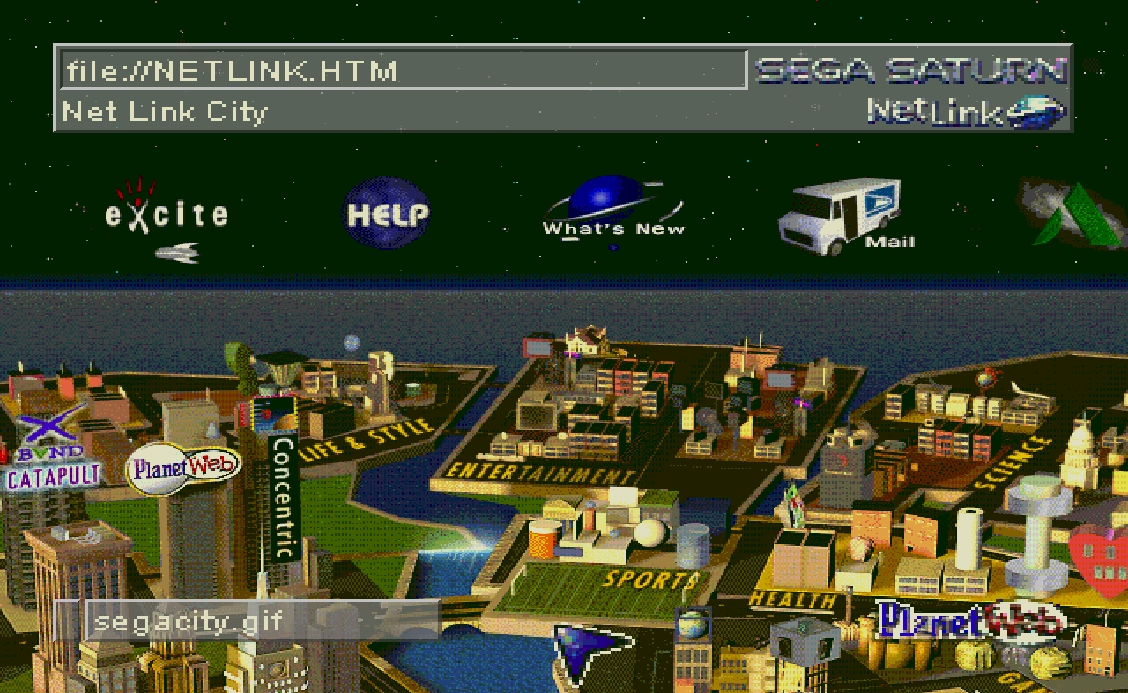
Sega’s NetLink used a PlanetWeb browser tailored for low-resolution CRT TVs. It featured legible fonts, zoom tools, and bookmarks. While it was advanced for its time—offering parental controls and even early SSL support—the Saturn’s short lifespan limited its impact.
Apple/Bandai Pippin (1996)
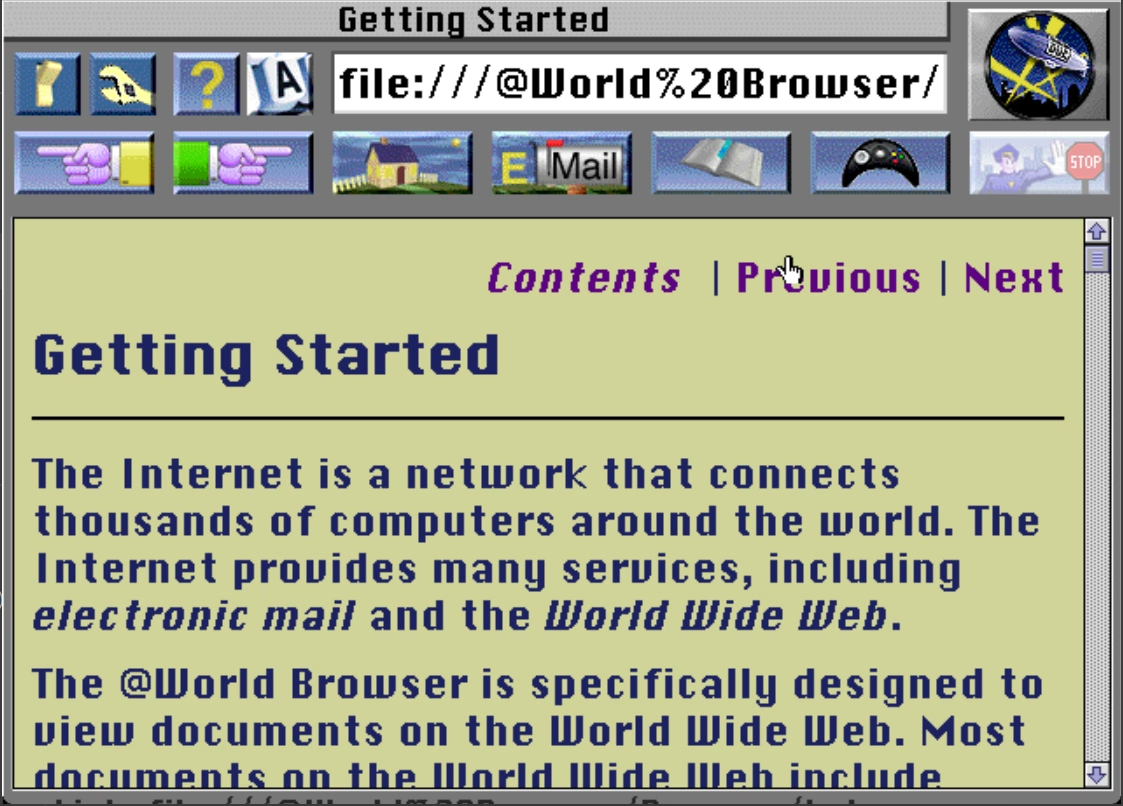
Based on PowerPC architecture, the Pippin ran adapted desktop browsers like @WORLD/Spyglass Mosaic. Surprisingly, it supported advanced plug-ins like QuickTime, Shockwave, and Java, but the console’s commercial failure prevented these features from reaching a wide audience.
Sega Dreamcast (1998)
The Dreamcast remains a high point in console browsing history. It shipped with different regional engines: Dream Passport (Japan), PlanetWeb (North America), and Dreamkey (Europe). Later versions added Flash support, JavaScript, and better GamePad integration, making the web truly accessible from the couch.
PlayStation 2
In Japan, Sony offered the PlayStation Broadband Navigator (PSBBN), which used NetFront 3.0. Outside of Japan, web access was mostly limited to specific game portals or network setup discs, rather than a full open-web experience.
Nintendo DS & DSi
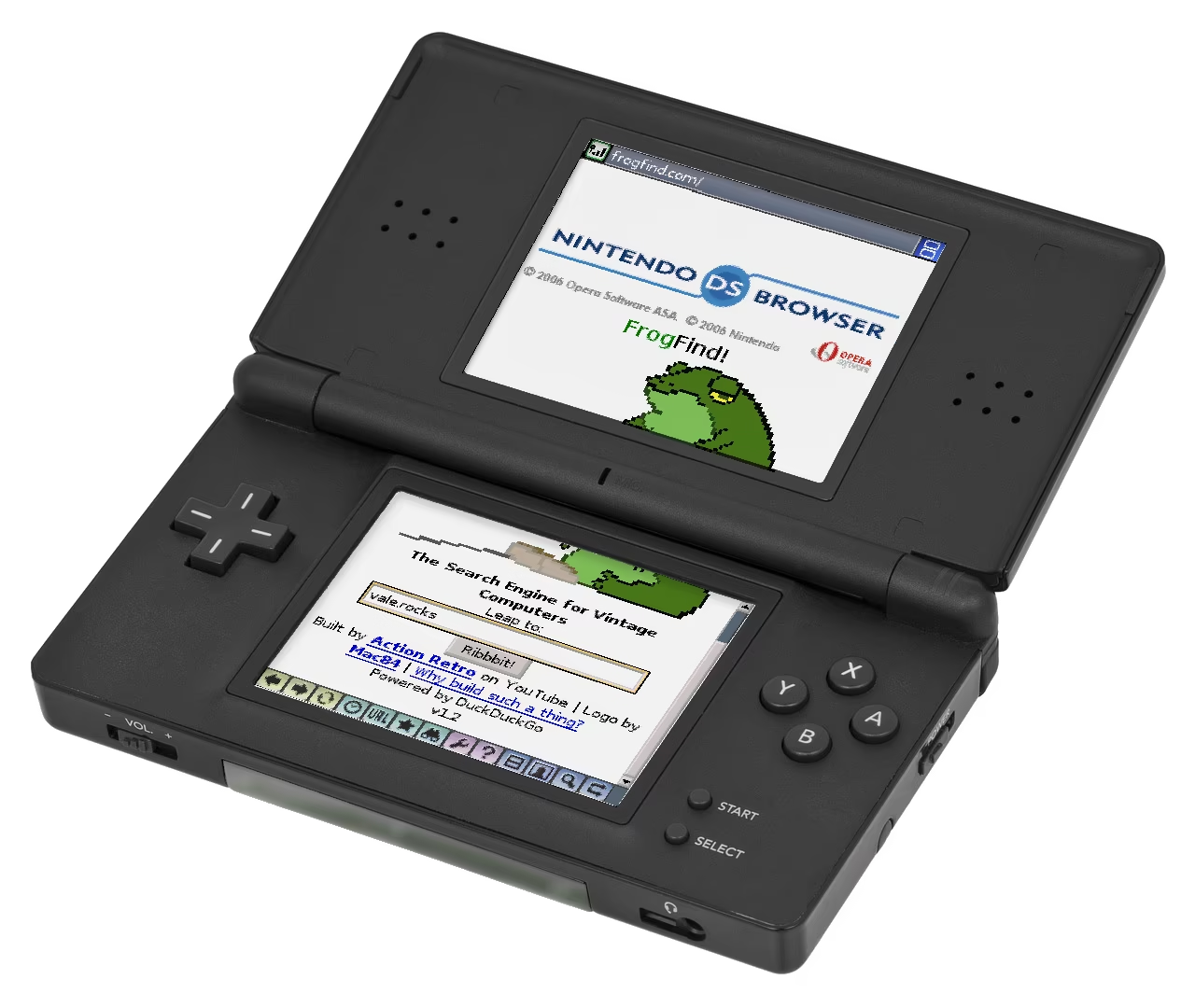
The Nintendo DS Browser (2006) was powered by Opera 8.5 but required a RAM expansion pack in the GBA slot. The DSi improved this with a built-in Opera 9.5-based browser, offering more RAM and HTML canvas support, though it still lacked Flash.
Wii (Internet Channel, 2006)
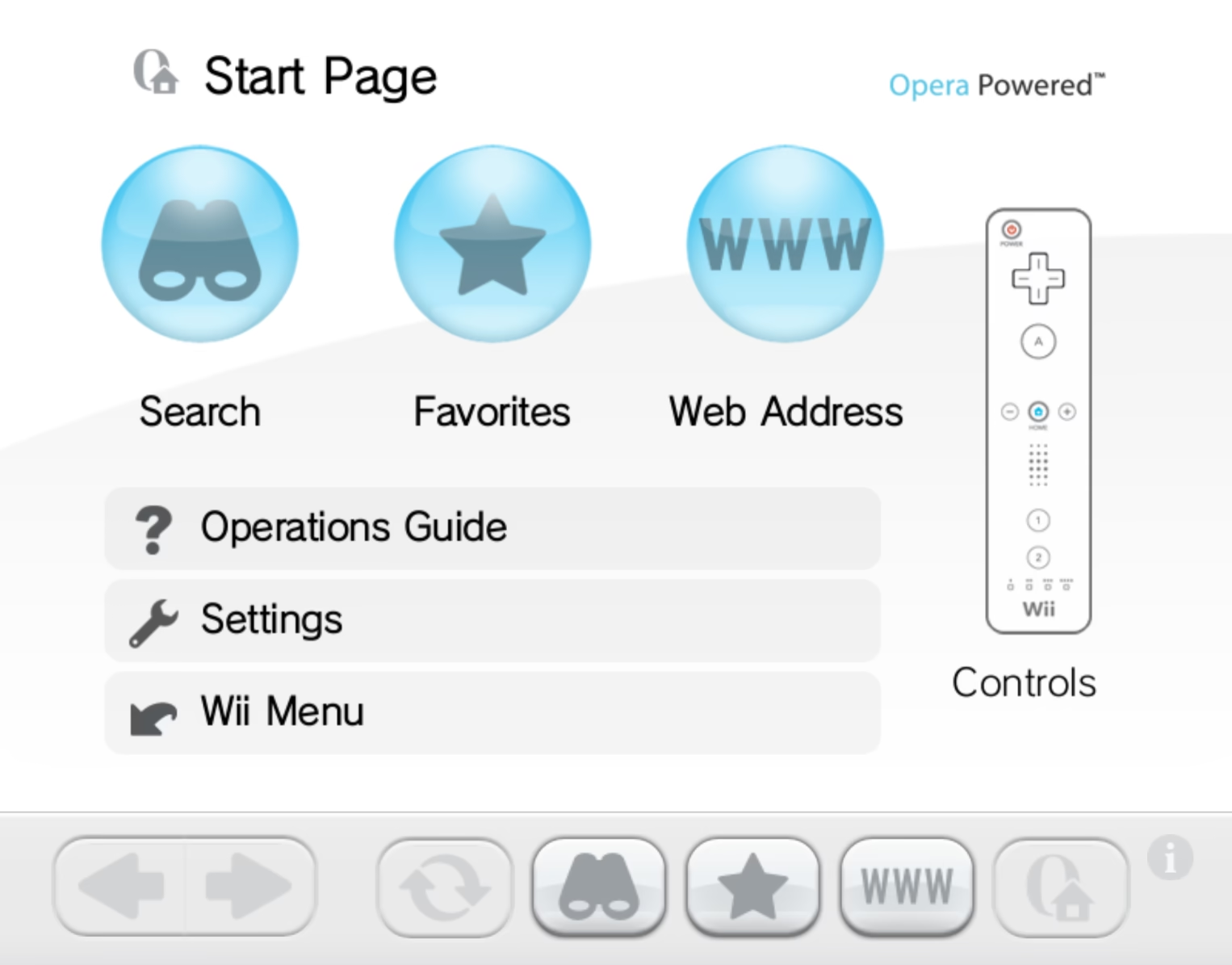
The Wii’s Internet Channel, powered by Opera, was many gamers’ first real experience with a living-room browser. It featured Wii Remote pointer navigation, keyboard support, and Flash Lite, setting a new standard for TV-first web layouts.
PlayStation Portable (PSP, 2005)
The PSP’s NetFront browser was surprisingly capable, offering Flash 6 support, tabbed browsing (up to 3 tabs), and various view modes. However, it eventually became obsolete due to memory limits and outdated security certificates.
Xbox 360
Microsoft finally brought Internet Explorer 9 to the Xbox 360 in 2012. It leveraged SmartGlass for touch input via smartphones and followed strict TV design guidelines, though it arrived late in the console’s lifecycle.
PlayStation 3
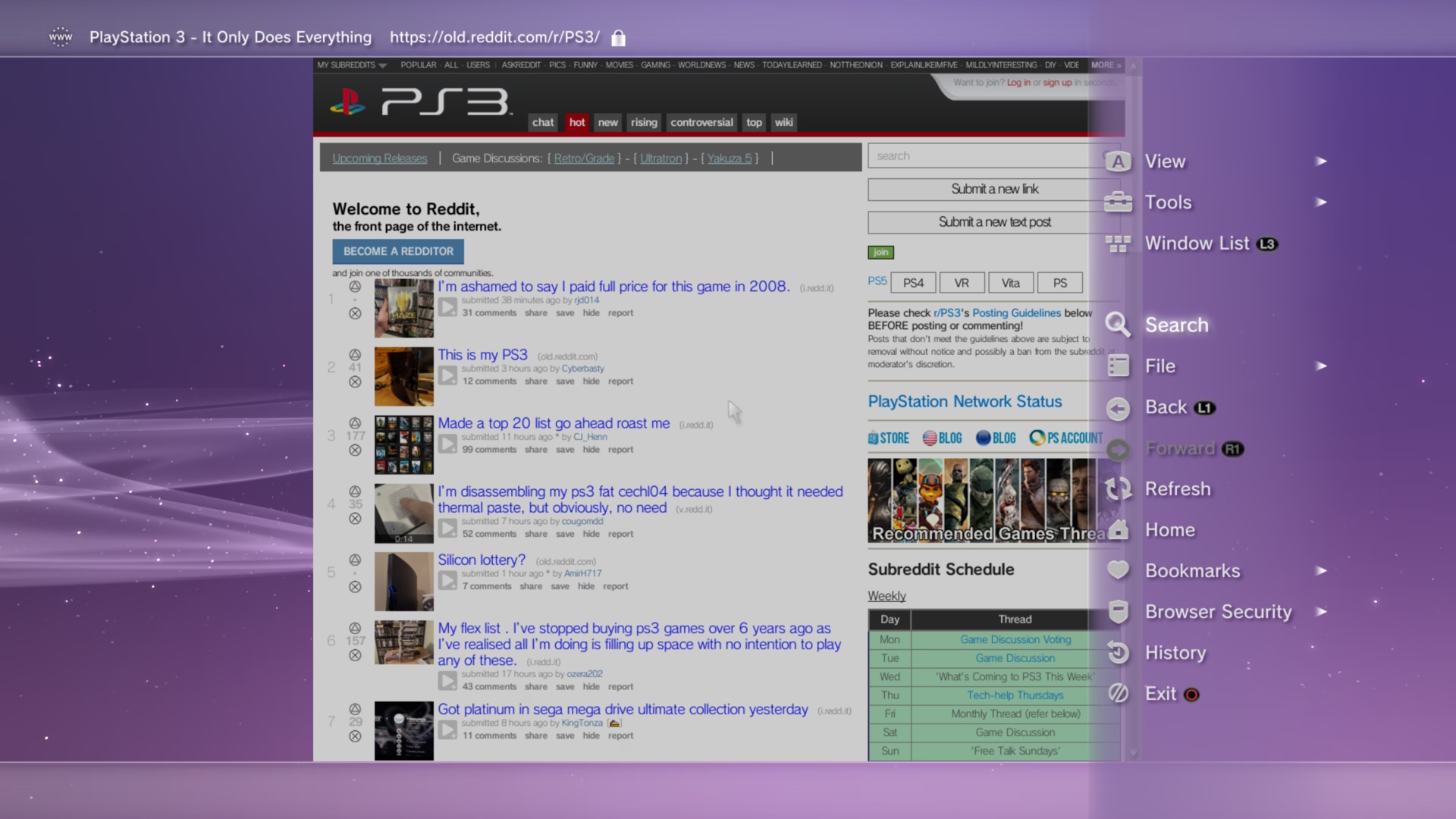
The PS3 browser transitioned from NetFront to a WebKit-based engine around 2012. This update significantly improved HTML5 performance and added features like screenshotting, multiple windows, and copy/paste functionality.
PlayStation Vita (2011)
The Vita launched with a fast, WebKit-powered browser. It supported up to eight windows, image downloads, and even rear-touch scrolling, providing one of the best handheld browsing experiences of its era.
Nintendo 3DS & New 3DS
The original 3DS featured a NetFront (WebKit) browser capable of rendering 3D images (.MPO). The New 3DS (2014) upgraded the hardware, adding HTML5 video support and much faster loading times.
Wii U
The Wii U’s NetFront NX browser was unique for its dual-screen usage. You could browse on the GamePad while hiding the content behind “curtains” on the TV. It was praised for its speed and compliance with web standards at the time.
PlayStation 4
The PS4 utilizes a modern WebKit browser. While it lacks Flash and a native PDF viewer, it handles modern web APIs and WebGL well, though it has been a frequent target for system exploits.
Xbox One
The Xbox One evolved from Internet Explorer to Edge (EdgeHTML) and eventually to a Chromium-based Edge. This shift ensured almost perfect compatibility with modern websites and streaming services.
SteamOS / Big Picture
Valve utilizes the Chromium Embedded Framework (CEF) for its Big Picture and SteamOS overlays. While SteamOS 3.0 (Steam Deck) focuses on the gaming UI, a full desktop version of Chrome or Firefox is easily accessible in Desktop Mode.
Xbox Series X|S
The current-gen Xbox consoles use the same Chromium-based Edge as Windows PCs. This allows for features like mouse and keyboard support, extensions, and high-performance web gaming through the browser.
Modern Trends & Conclusion
The era of the “full” console browser is shifting. While Microsoft continues to support a desktop-class browser on Xbox, Sony and Nintendo have moved toward embedded web views. These are used for specific tasks—like logging into social media or viewing manuals—rather than general surfing.
Key Takeaways:
- Engine Consolidation: Almost all modern consoles have moved to WebKit or Chromium.
- Security Concerns: Browsers are often the primary entry point for console homebrew and exploits, leading some manufacturers to hide them.
- Mobile Dominance: The rise of smartphones has reduced the need for a dedicated browser on a gaming console.
From the humble beginnings of the CD-i to the Chromium-powered Xbox Series X, console web browsers have played a vital role in bringing the internet into the living room.
Original source: Microfintool History Series
Frequently Asked Questions
Official game console web browsers have transformed from experimental, TV-centric services in the early 1990s into sophisticated engines based on WebKit and Chromium.
The 1991 CD-i was a pioneer in TV-focused browsing. By 1995, using the CD-Online (Web-i) service and a dedicated modem, users could access curated portals and basic navigation, establishing the proof-of-concept for browsing the web on a television.
Extremely limited RAM and slow 14.4k/28.8k modem speeds.
The CD-i, Sega Saturn, Apple/Bandai Pippin, Sega Dreamcast, PlayStation 2, Nintendo DS and DSi, Wii, PSP, Xbox 360, PlayStation 3, PlayStation Vita, Nintendo 3DS, Wii U, PlayStation 4, Xbox One, SteamOS/Big Picture, and Xbox Series X|S, plus modern trends.



Stealing my work without attribution is pretty despicable.