Ryan Haines / Android Authority
TL;DR
- Samsung’s One UI 9 beta introduces a Security Report to Auto Blocker, allowing users to view a seven-day or monthly history of blocked app installations from unknown sources.
- The Maximum restrictions mode in Auto Blocker on One UI 9 now completely blocks USB connections, a significant step up from the command-only blocking found in One UI 8.5’s standard Auto Blocker mode.
- These features are currently live in the One UI 9 beta 1 for the Galaxy S26 series.
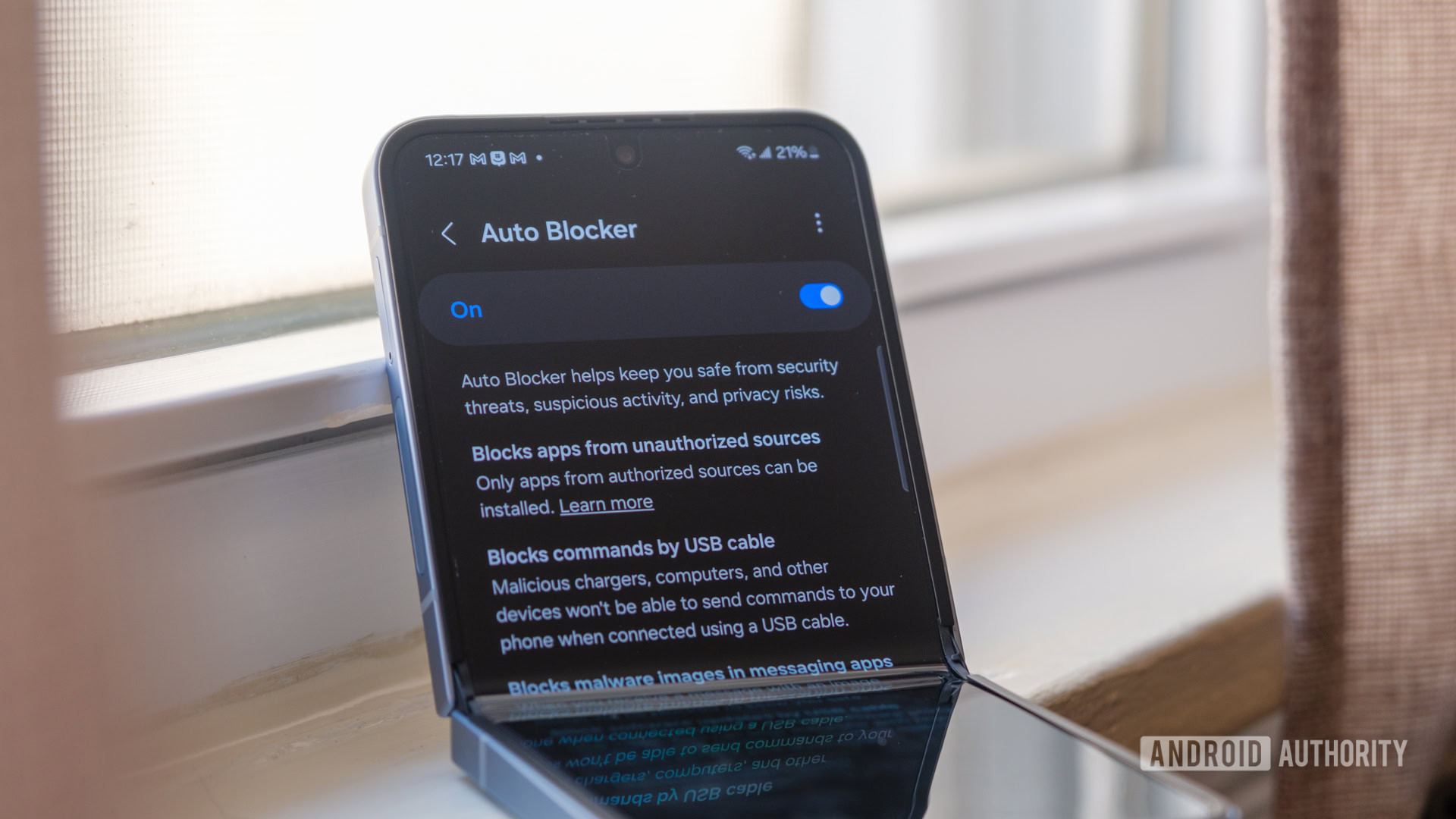
Auto Blocker on One UI helps keep you safe from security threats, suspicious activity, and privacy risk by blocking some common attack vectors. Samsung has been improving the user experience for Auto Blocker, with One UI 8.5 adding the ability for Auto Blocker to re-enable itself after 30 minutes of being turned off. With One UI 9, Auto Blocker is getting new features, including a security report and complete USB connection blocking in Maximum restrictions mode.
Don’t want to miss the best from Android Authority?


In the recently released One UI 9 beta 1 for the Galaxy S26 series, Samsung has added a new Security Report section to Auto Blocker. This report presents the history of Auto Blocker “blocking apps with unknown sources,” presumably from installing apps on your device.
The report shows app instances over the last seven days, while the Month tab presents the data graphically.
When Auto Blocker is enabled, only apps from authorized sources such as the Google Play Store and the Galaxy Store can be installed. Samsung says this helps prevent the installation of malicious apps. Android also has a similar setting, “Install unknown apps,” in Settings > Apps > Special access, which lets you allowlist individual apps other than the Play Store and Galaxy Store to install apps from. This setting is also present on Galaxy devices, so Samsung’s settings are a duplicate and add another layer of friction, though One UI 9’s report section should provide more value.
Beyond the report section, One UI 9 also blocks USB connections completely in Maximum restrictions.
On One UI 8.5, the standard Auto Blocker setting blocks commands sent over USB connections, while Maximum restrictions has no further protections on USB connections. Curiously, Samsung had added the setting back in 2024, but it’s not present in the current software versions, so it was removed along the way and is now making a return.
Both the security report and the blocking of USB connections in Maximum restrictions mode are live in the One UI 9 beta. The features should ideally be included in the One UI 9 stable release as well.
Thanks, Dylan H., for the tip!
Thank you for being part of our community. Read our Comment Policy before posting.
[ad_2]
Source link
More on one ui 9 beta for galaxy
Stay tuned for updates on one ui 9 beta for galaxy as the story develops. Related: 1,700 Free Online Courses from Top Universities.
Frequently Asked Questions
One UI 9 adds a Security Report to Auto Blocker, showing a seven-day or monthly history of blocked app installations from unknown sources, plus complete USB connection blocking in Maximum restrictions mode.
On One UI 8.5, the standard Auto Blocker blocked only commands sent over USB, while Maximum restrictions added no further USB protections. On One UI 9, Maximum restrictions blocks USB connections completely.
It is a new section inside Auto Blocker that shows the history of blocking apps with unknown sources, with the last seven days in one view and the Month tab presenting the data graphically.
Both the security report and USB blocking in Maximum restrictions mode are live in the One UI 9 beta 1 for the Galaxy S26 series, and should ideally be included in the stable One UI 9 release.