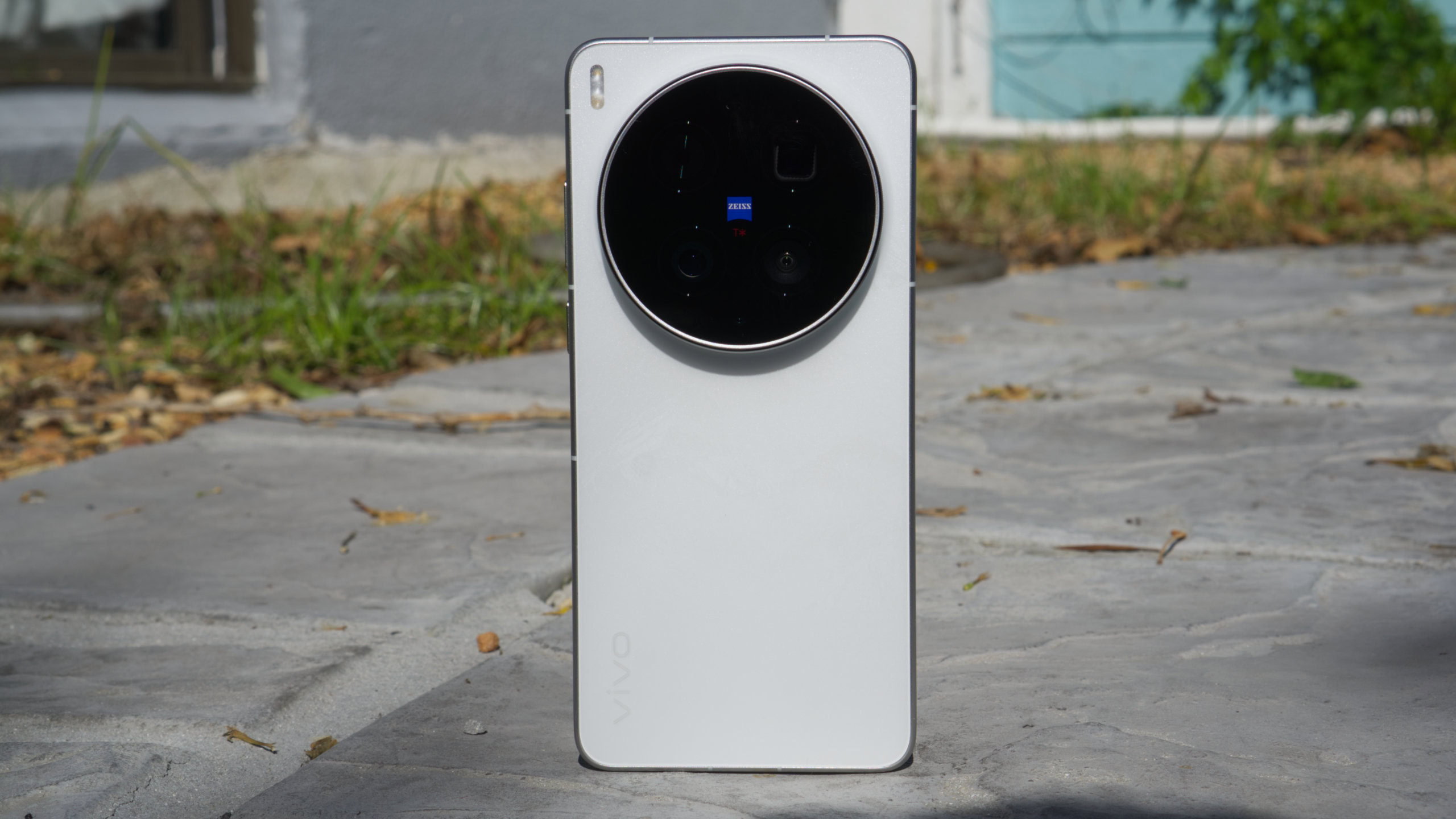
The vivo X300 Ultra hits the ball out of the park thanks to mostly fantastic cameras, enthusiast-level video features, impressive endurance, and premium extras. However, it does come with design compromises and a sky-high price tag.
It’s taken a few years, but vivo has finally brought its Ultra phone line to global markets with the X300 Ultra.
These Ultra phones have quickly established themselves as some of the best camera phones in the world, while also bringing interesting innovations, but the last two generations — both of which I really liked — were only available in China.
Now that the vivo X300 Ultra has gone global, does it pick up where its predecessors left off?
A camera phone first and foremost

Hadlee Simons / Android Authority
The main reason to buy vivo’s Ultra phones in the first place is the camera experience. So, what’s it like to actually use the X300 Ultra’s cameras? I’m still not a fan of the default vivid color profile, as it tends to crank up the saturation and dynamic range. However, the authentic/natural profile does a fantastic job of reducing the saturation while keeping some contrast in the scene. Image output remains sharp, but the phone doesn’t seem to go overboard as often as previous devices.
I’m also glad to see custom color profiles this year. Simply choose a base color profile, then adjust 12 settings (e.g., exposure, saturation, highlights, shadows, grain, sharpness) to create your own recipe. And you can share your custom image profile online via QR or text code. Smart stuff. I don’t exactly have good taste, but I liked pairing my grain-focused custom profile with the 400mm add-on lens (more on that later).

Hadlee Simons / Android Authority
The vivo X300 Ultra doesn’t disappoint in terms of actual camera hardware, either. The most notable upgrade this generation is a 200MP Sony LYT-901 main camera (1/1.12-inch), which is the largest 200MP sensor available for smartphones. Much like the X200 Ultra, this main camera has a 35mm focal length, which means it’s effectively shooting at 1.5x compared to conventional Android camera phones. I found that the camera generally delivered excellent image quality with plenty of detail, while vivo has noise reduction down to a science on this lens. I also appreciate the 35mm focal length as it allows for better framing and more satisfying portraits than typical 24mm cameras.
Moving to the telephoto camera, vivo is sticking with what is fundamentally the same 200MP 85mm periscope camera that debuted on 2024’s X100 Ultra. However, the firm says it’s using an ISOCELL HPO sensor and supports 60fps auto-tracking in snapshot mode. I’m still a sucker for this telephoto camera, though. There’s a healthy level of resolvable detail, pleasantly shallow depth of field, and generally fast autofocus. Much like previous models, the 200MP tele camera still delivers good-quality 10x shots in most situations. Images remain bright in low-light situations, although there can be a noticeable drop in detail. In saying so, I was sometimes surprised by the level of retained detail in these scenarios. And yes, you can still take macro shots via this periscope shooter.
Of course, if you really want to take zoom to the next level, the aforementioned add-on ~17x lens is the real deal. Check out my thoughts on that here.
Moving to the ultrawide camera, vivo hasn’t changed much on this front. You’ve still got a LYT-818 camera sensor, an f/2.0 aperture, and a 114-degree field-of-view. That’s not a bad thing, as the sensor is actually larger than the primary camera on phones like the OnePlus 15 and Galaxy S26. However, this is the weakest camera of the trio when it comes to stills.
The biggest issue I have with the ultrawide camera is the obvious distortion, even with distortion correction enabled. You’ll also notice more noise than the primary camera, particularly in mixed lighting. Nevertheless, I found that ultrawide shots were impressively bright and had colors that were consistent with the main shooter. I also found that I could take ultrawide astro photos that weren’t complete garbage (see the first image below). I like the 28mm shots from this camera too, although there’s a significant gulf in detail between the 28mm and 35mm snaps.
Both the main and telephoto cameras also support full-resolution 200MP photos. Snaps at this resolution were a bit of a waste of time on the first 200MP phones due to splotchiness and blown highlights, but things have gradually improved over the years. Fortunately, the X300 Ultra continues this upward trend, and it’s worth switching to full-resolution shooting in ideal conditions. I was impressed with the relatively small difference in exposure and dynamic range between the two shooting modes, though these differences are occasionally obvious (e.g., more contrast in the full-resolution snap). There are also times when the extra detail isn’t worth the file size, and times when the full-resolution snap has blown highlights and fringing. Nevertheless, cropping can be a transformative affair as the gallery below shows.
vivo also offers a 25MP shooting mode across all rear cameras this time, mirroring Apple, Samsung, and OPPO. This is a handy compromise between file size and image quality, if you can’t decide between the 50MP/200MP or 12.5MP modes. Unlike the OPPO Find X9 series, the 25MP mode isn’t enabled by default. Nevertheless, you can use it in the standard photo mode up to 230mm, as well as in the Landscape and Night Mode.
Another new addition this time is Camera Assistant, which sounds like a take on the Pixel’s Camera Coach. However, this is much different. The Pixel’s mode actively guides you with shooting angle suggestions and AI-generated image examples. Camera Assistant, on the other hand, is more like an automatic scene recognition mode that occasionally prompts you to use specific lenses and modes (e.g., telephoto camera or macro mode). Camera Assistant displays the recognized scene/subject at the top of the viewfinder, and tapping this section will reveal the applied adjustments. It also doesn’t seem like vivo’s mode recognizes many scenes and subjects in the first place. On the upside, Camera Assistant works when you’re offline too.
vivo has positioned the X300 Ultra as a video capture machine, so it’s no surprise to see new features like APV codec support, multiple audio capture profiles (along with custom audio profiles), and a redesigned pro video mode. This is in addition to returning options like multi-focal 4K/120fps Log video, 4K/60fps portrait video, 4K/60fps capture across all three rear cameras, and ultra-steady video at 2.8K/60fps. I’m also glad to see that the phone supports video capture with alternative color profiles at 4K/60ps, which is a welcome upgrade over the X300 Pro’s 1080p/30fps limitation. Furthermore, a recent update revived the Horizon Lock stabilization feature.
As with last year’s Ultra phone, the X300 Ultra defaults to video capture via the ultrawide camera. I found that recorded videos usually looked sharp while delivering vibrant colors that weren’t overly saturated. Video also stayed mostly judder-free while panning, but I did notice occasional micro-stutter. The phone switches to the 35mm camera for low-light video recording, although you can disable this option if you really want to. Check out a daytime sample clip below.
Two other new features we see this time are the Film Look and Film Style shooting modes. The former captures 16:9 video at 60fps while emphasizing cyan and orange colors. The latter shoots video in a 2.4:1 aspect ratio at 4K/24fps, making for a more cinematic look on paper. I quite like the Film Style mode, although I could do without the watermark. Check out a video sample below.
In another neat touch, the phone supports audio capture via wireless microphones. vivo says supported brands include DJI and MOMA. Taken together, it’s clear that the X300 Ultra is probably the most versatile smartphone for video capture. Now, about offering dual-camera recording outside of stage mode.
What’s it like to use the vivo X300 Ultra as a phone?

Hadlee Simons / Android Authority
Oh yeah, this is a phone, right? Fortunately, the vivo X300 Ultra generally delivers on the non-camera stuff as well. However, one of the biggest problems with the hardware is the design. The rear camera bump is extremely thick, even when compared to the vivo X300 Pro. In fact, I can actually hold the phone by the bump. Seriously. It’s a shame, as the rest of the phone is only slightly thicker than the Galaxy S26 Ultra. And I say all this as someone who owned the Nokia Lumia 1020 back in the day. It’s not a dealbreaker for me, but I can see it being a no-go for others.
It also doesn’t help that the phone is quite heavy. At 232 or 237 grams (depending on the variant), it’s substantially heavier than the Galaxy S26 Ultra (214 grams) and even the Galaxy Z Fold 7 (215 grams). This is less of an issue than the huge camera plateau, but it’s still something I noticed upon unboxing the device.

Hadlee Simons / Android Authority
The vivo X300 Ultra is powered by the Snapdragon 8 Elite Gen 5 chipset, along with 12GB to 16GB of RAM. However, it looks like Europe is only getting a 16GB/1TB model. The Geekbench 6 CPU test reveals that vivo’s phone handily beats the MediaTek-powered OPPO Find X9 Pro while staying in the same ballpark as the Samsung Galaxy S26 Ultra. GPU stress tests tell a different story, though. The phone has mixed stability (~54% to ~60%) and peak temperatures of around 50 degrees Celsius. That’s extremely hot for an Android phone and significantly hotter than the S26 Ultra, let alone the more conservative Find X9 Pro. The test also reveals a ton of peaks and valleys compared to Samsung’s handset, suggesting janky performance during long gaming sessions.

Hadlee Simons / Android Authority
Fortunately, the phone flew through multitasking, launching apps, and scrolling the web. I did find that snapping a steady stream of pictures results in image optimization taking a while in the gallery, but that’s nothing new for Android camera phones. I also found that the phone seemed to capture full-resolution 200MP photos a little faster than the X300 Pro, but the Pro device seems to optimize them a little faster. You win some, you lose some. Gaming is another good workout, and I was able to play GRID Legends and War Thunder Mobile with smooth performance. Thankfully, the phone never got more than merely warm.
One of the most disappointing things about the X300 Pro was the hobbled battery capacity in Europe and a few other global markets. Thankfully, the X300 Ultra comes with a 6,600mAh battery in Europe too. I’m glad to report that I’m only really charging every other day with typical usage (WhatsApp, Reddit, occasionally using the camera app). I generally saw seven to eight hours of screen-on time with this usage. That’s fantastic news if you were put off by the X300 Pro or disappointed with the S26 Ultra’s battery capacity.
The vivo X300 Ultra doesn’t compromise on the endurance front, offering a huge battery no matter where you buy it.
vivo also offers 100W wired charging and 40W wireless top-ups. The phone takes just over an hour to charge via my 65W USB-PPS charger, which isn’t amazing but is respectable for the battery size. Don’t expect a bundled charger in Europe, but I’m glad to see that the Chinese model comes with a USB-C charging adapter capable of 100W USB PPS speeds.
The X300 Ultra also ships with OriginOS 6 in both China and global variants. I’m using the Chinese model, and I thought the software still looked too much like iOS for my liking. My colleague Paul Jones is using the global model and disagrees, saying ColorOS and Magic OS looked more like Liquid Glass clones than vivo’s skin.
Thankfully, the software maintains features like the fun Flip Cards wallpaper feature, per-app volume controls, and motion prompts for motion sickness. I also appreciate the new app-specific brightness option. However, even Paul lamented the inability to edit and rearrange quick settings while also expressing disappointment in the widget size options. Furthermore, he felt that Samsung One UI and OPPO’s ColorOS were easier to use. The manufacturer also promises five major OS upgrades and seven years of security patches. This isn’t the absolute best update policy, but it’s still very good in 2026.
Other features worth knowing include a bright, sharp 144Hz OLED screen (3,168 x 1,440, 1,800 nits of global brightness), a fast and accurate ultrasonic in-display fingerprint scanner, IP68 and IP69 ratings, USB 3.2 data transfer speeds, and an IR blaster.
vivo X300 Ultra review verdict: Should you buy it?

Hadlee Simons / Android Authority
The X300 Ultra easily ranks among the best camera phones, as it packs some camera hardware that you simply won’t find on other devices. It also marks a massive step forward for video capture on Android, thanks to features like APV codec support, a wide range of video capture options, and overall good video quality. Toss in the great battery life, brisk charging speeds, impressive real-world performance, and premium extras, and this entire package is hard to ignore.
The phone doesn’t come without a cost, though. Quite literally. The X300 Ultra is only available as a 1TB model in some markets, and this variant will set you back a cool €1,999 (~$2,345) in Europe. That’s a ton of cash, even compared to rival Ultra flagships. The addition of a double-stuff camera bump, a heavy design, and disappointing sustained performance don’t help matters, either. Nevertheless, this might be the phone to get if you’re a smartphone camera enthusiast or waiting for a phone with fantastic video capabilities. The phone isn’t available in the US, but importers will be happy to know it supports the N71 network band used by T-Mobile.
The X300 Ultra easily ranks among the best camera phones — but you’ll have to pay a high price for it.
Looking for an alternative to the X300 Ultra? The Samsung Galaxy S26 Ultra ($1299.99 at Samsung) might be the best option for most people. That’s largely due to its horsepower, great cameras (including good video capture), slick software, and raft of local AI features. It doesn’t hurt that it’s significantly cheaper than vivo’s handset while being available in more markets. However, the X300 Ultra offers a much bigger battery, faster charging, superior camera hardware, and more robust video capture capabilities.
I’d also recommend the OPPO Find X9 Ultra ($38999 at Amazon) as a serious alternative. It features the same impressive chipset, an even larger battery, and a cutting-edge camera system punctuated by a 10x 50MP camera. It does miss out on APV support, but bounces back with 8K/30fps Log video. Meanwhile, the vivo X300 Pro ($1099 at Amazon) is worth a look if you want a vivo flagship at a lower price. It still brings a powerful processor and similarly fantastic camera zoom, while being available in a few more markets. Just keep in mind that the European models have a much smaller battery.
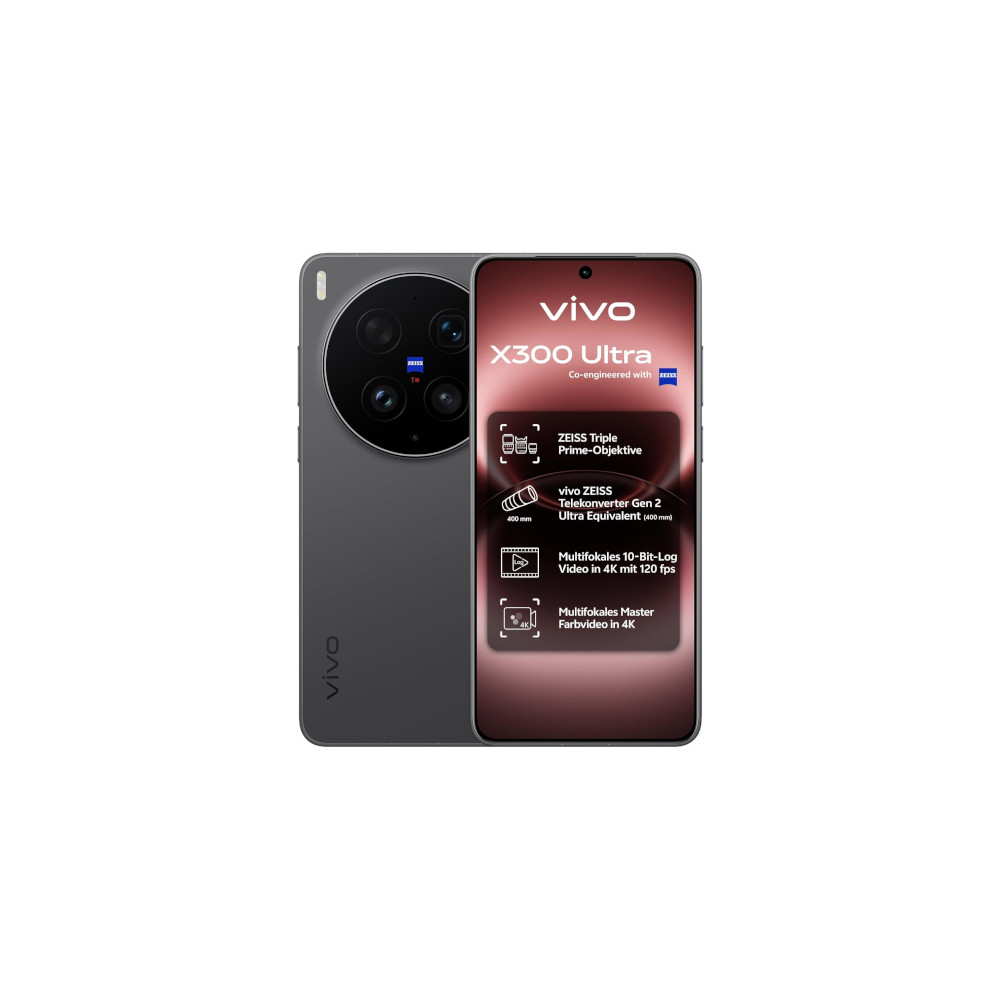

Great video capture • 35mm main camera • Big battery
MSRP: €1,999.99
One of the best camera phones of 2026
The vivo X300 Ultra offers unique cameras, a big battery and powerful chipset, and a ton of video capture options.
Positives
- Unique cameras
- Great video capture with many options
- Impressive battery life
- 1TB of storage in Europe
- Bright screen
Cons
- Ultra-thick camera bump
- Heavy design
- Poor sustained performance
- Incredibly expensive
Thank you for being part of our community. Read our Comment Policy before posting.


