DIY Fitbit Air Analog Watch Hybrid: The Ultimate Guide
Do you love the timeless elegance of a traditional timepiece but hate missing out on vital health data? You don’t have to choose between classic horology and modern fitness tracking. By creating a DIY Fitbit Air analog watch hybrid, you can enjoy the best of both worlds. This guide will show you how to mount a screenless Fitbit Air tracker to your favorite analog watch for a discreet, stylish, and highly functional setup.
Why Create a Fitbit Air Hybrid?
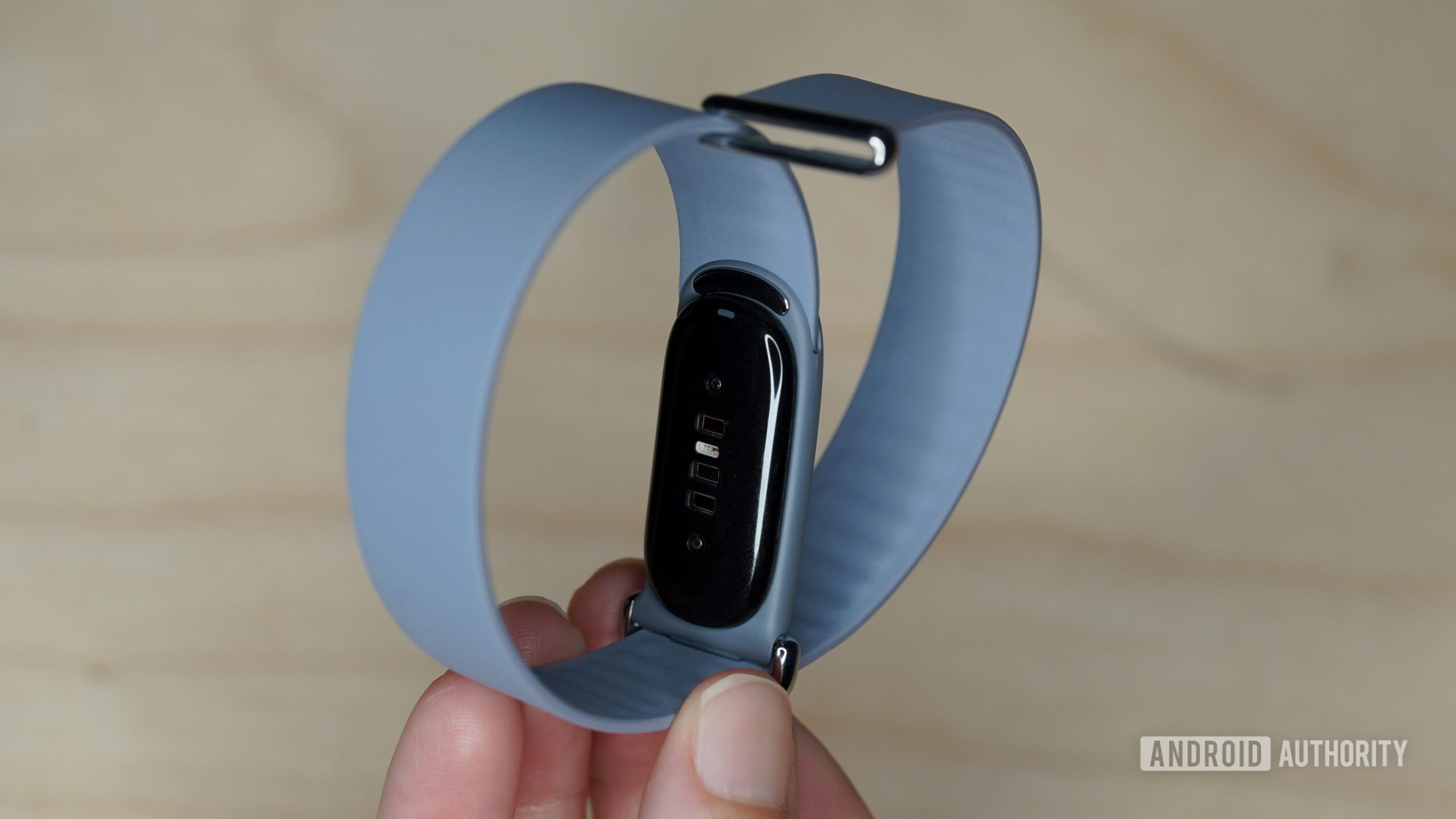
The Fitbit Air is the ideal candidate for a “stealth” fitness tracker due to its minimalist, screenless design. Unlike bulky smartwatches that scream “tech,” the Fitbit Air can be tucked away on the underside of your wrist, allowing your mechanical or quartz watch to remain the focal point.
This DIY pairing captures essential health metrics—including heart rate, step count, and sleep quality—without the distraction of an extra digital screen or the cluttered “double-wristing” look.
Compatibility: Finding the Perfect Watch Match
The secret to a professional-looking hybrid is matching the lug width of your analog watch to the tracker strap. The Fitbit Air strap functions similarly to a NATO-style band; therefore, the width must match your watch case to ensure stability and comfort.
The Gold Standard: 18mm Lug Width
An 18mm lug width provides a perfect, factory-finished look with zero gaps between the strap and the watch case. This is common for many unisex and dress watches.
The Recommended Alternative: 19mm Lug Width
Common for vintage watches, a 19mm width works excellently. Any slight “slack” is virtually invisible once the watch is secured firmly on the wrist.
What to Avoid: 20mm+ Lug Widths
Avoid wider lugs. The Fitbit Air band is too narrow for 20mm or 22mm watches, which causes the watch head to slide and risks damaging the spring bars over time.
Essential Tools & Preparation
Before you begin the assembly, gather these tools to ensure a safe, scratch-free installation:
- Spring Bar Tool: Essential for removing your current watch strap without scratching the lugs.
- Measuring Tool: Use a digital caliper or a precise ruler to confirm your watch’s lug width is exactly 18mm or 19mm.
- High-Quality Spring Bars: We recommend using stainless steel spring bars to support the combined weight of the watch head and the tracker.
- Microfiber Cloth: Use this to clean the watch case and the Fitbit band, preventing grit from causing friction marks.
Step-by-Step Assembly Instructions
Follow these steps to securely integrate your analog watch with the Fitbit Air tracker strap:
- Remove the Original Strap: Use your spring bar tool to carefully remove the existing band from your analog watch.
- Reinstall Spring Bars: Click the spring bars back into the watch lugs without a strap attached. Ensure they are firmly seated.
- Position the Fitbit Air: Unbuckle your Fitbit Air strap and lay it flat on a soft surface with the sensor facing up.
- Thread the Band: Much like a NATO strap, slide the Fitbit band under the top spring bar (12 o’clock position), across the back of the watch case, and then under the bottom spring bar (6 o’clock position).
- Align Your Pulse Point: Adjust the positioning so the analog watch face sits centered on top of your wrist while the Fitbit Air sensor remains flush against the underside of your wrist.
- Final Security Check: Fasten the band and give the watch head a gentle tug to ensure it is locked in place and doesn’t slide excessively.
Safety, Comfort, and Maintenance Tips
While this is a popular community “hack,” keep these maintenance tips in mind for long-term wear:
- Skin Sensitivity: Adding a watch head increases the thickness of the band. Ensure you can fit one finger between the strap and your wrist to prevent skin irritation or circulation issues.
- Physical vs. Digital: Note that this is a physical modification. The devices do not sync digitally; your analog watch keeps the time while the Fitbit Air handles the health data via the Fitbit app.
- Weekly Inspection: Since the Fitbit band carries more weight than originally intended, check the spring bars once a week for signs of bending or stress.
Frequently Asked Questions
Will this scratch my watch case?
Because the strap passes behind the case, minor friction can occur. To prevent marks on the case back, you can apply a small circle of clear protective film (like those used for smartphone screens) to the back of the watch.
Can I use a dive watch for this hybrid?
Most dive watches are too thick (12mm+) and have 20mm or 22mm lugs. For the best “Smart-Classic” aesthetic, we recommend thin-profile dress watches or field watches under 10mm thick.
Frequently Asked Questions
Mounting a screenless Fitbit Air tracker to a favorite analog watch using the Fitbit strap like a NATO band, for discreet fitness tracking without a digital screen.
18mm is the gold standard for a factory-finished look. 19mm works with slight invisible slack. Avoid 20mm and above, as the narrow band causes sliding and spring bar damage.
A spring bar tool, a measuring tool like a digital caliper or ruler, high-quality stainless steel spring bars, and a microfiber cloth.
No. It is a physical modification. The analog watch keeps time while the Fitbit Air handles health data via its app.