Joe Maring / Android Authority
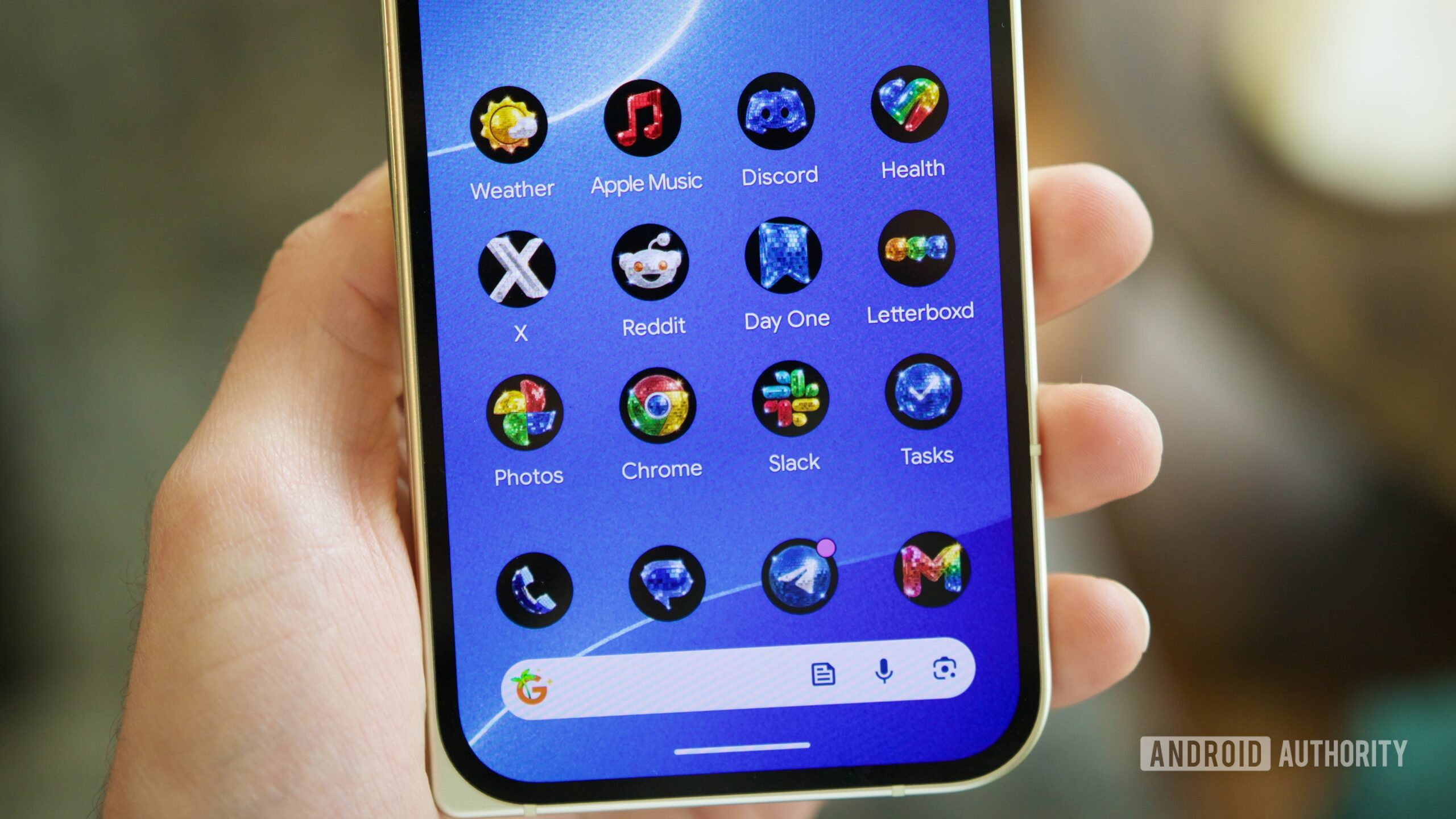
If you spend any time on tech Twitter, you’ve probably come across Race Johnson’s semi-viral post featuring a few app icons with a disco ball effect, cutely referred to as “discomorphism.” The post garnered a fair amount of attention, to the point where Android President Sameer Samat joked about making a disco icon pack for Android and sharing a Chrome icon with its own discomorphism design.
Fast forward to this past Friday, and Sameer held true to his word — announcing that disco icons are now available on Pixel phones. No, this isn’t a late April Fool’s joke or Sameer just having fun in light of Google I/O. The disco app icons are real, and you can download them on your Pixel right now.
Google’s disco icon pack: Hot or not?
0 votes
What you need to download Google’s disco icons

Joe Maring / Android Authority
In order to use the disco icon pack, you’ll need a Pixel running Android 16 QPR3. The update began rolling out back in March, so unless you’re actively avoiding software updates on your Pixel, you should already have it.
Android 16 QPR3 added a new “Create” option for icon packs, offering five styles of AI-generated icons — including designs such as Scribbles, Cookies, and Easel. QPR3 was rolled out to every Pixel model going back to the Pixel 6 series, so unless you have a Pixel 5 or older, your Pixel is supported.
You can confirm your Pixel’s Android version by going to Settings -> About phone and then scrolling down until you see Android version. If, for some reason, you’re running a version older than QPR3, you can update your phone by going to Settings -> System -> Software updates -> System update.
How to use the disco icon pack on your Pixel

Joe Maring / Android Authority
Assuming you have a supported Pixel with up-to-date software, finding the disco icon pack is pretty straightforward. Here’s how to use it:
- Press and hold on any blank part of your home screen.
- Tap Wallpaper & style.
- Tap Icons.
- Tap Create.
- Tap Disco.
- Tap Download.
You’ll need to wait a few seconds for the icon pack to download, and after that, you should see the disco pack appear under “Your styles” on the custom icons page. Swipe home, and just like that, your Pixel is rocking a disco app icon pack.
As has been my experience with Google’s other AI-generated icon packs, the results can be hit-or-miss. Some app icons translate really well to the disco design, while others do not. I also don’t love how the icon pack uses a black background for every single icon.
That said, the fact that this exists at all is pretty remarkable — especially considering how quickly Sameer and the rest of the Android team turned this around. It also makes me hopeful about the future of these custom icon packs. Support for third-party packs from the Play Store would still be great, but if Google can churn out new styles this quickly, I hope it continues to do so.
Don’t want to miss the best from Android Authority?


Thank you for being part of our community. Read our Comment Policy before posting.
[ad_2]
Source link
More on how to get the viral disco
Stay tuned for updates on how to get the viral disco as the story develops. Related: 1,700 Free Online Courses from Top Universities.
Frequently Asked Questions
It is a disco ball effect for app icons, from Race Johnson's semi-viral post featuring app icons with a disco ball look.
Android President Sameer Samat joked about making a disco icon pack, then announced that disco icons are now available on Pixel phones.
A Pixel running Android 16 QPR3, which added a Create option for icon packs with AI-generated styles like Scribbles, Cookies, and Easel. It supports Pixels back to the Pixel 6 series.
Go to Settings, then About phone, and scroll down until you see the version.