Mishaal Rahman / Android Authority
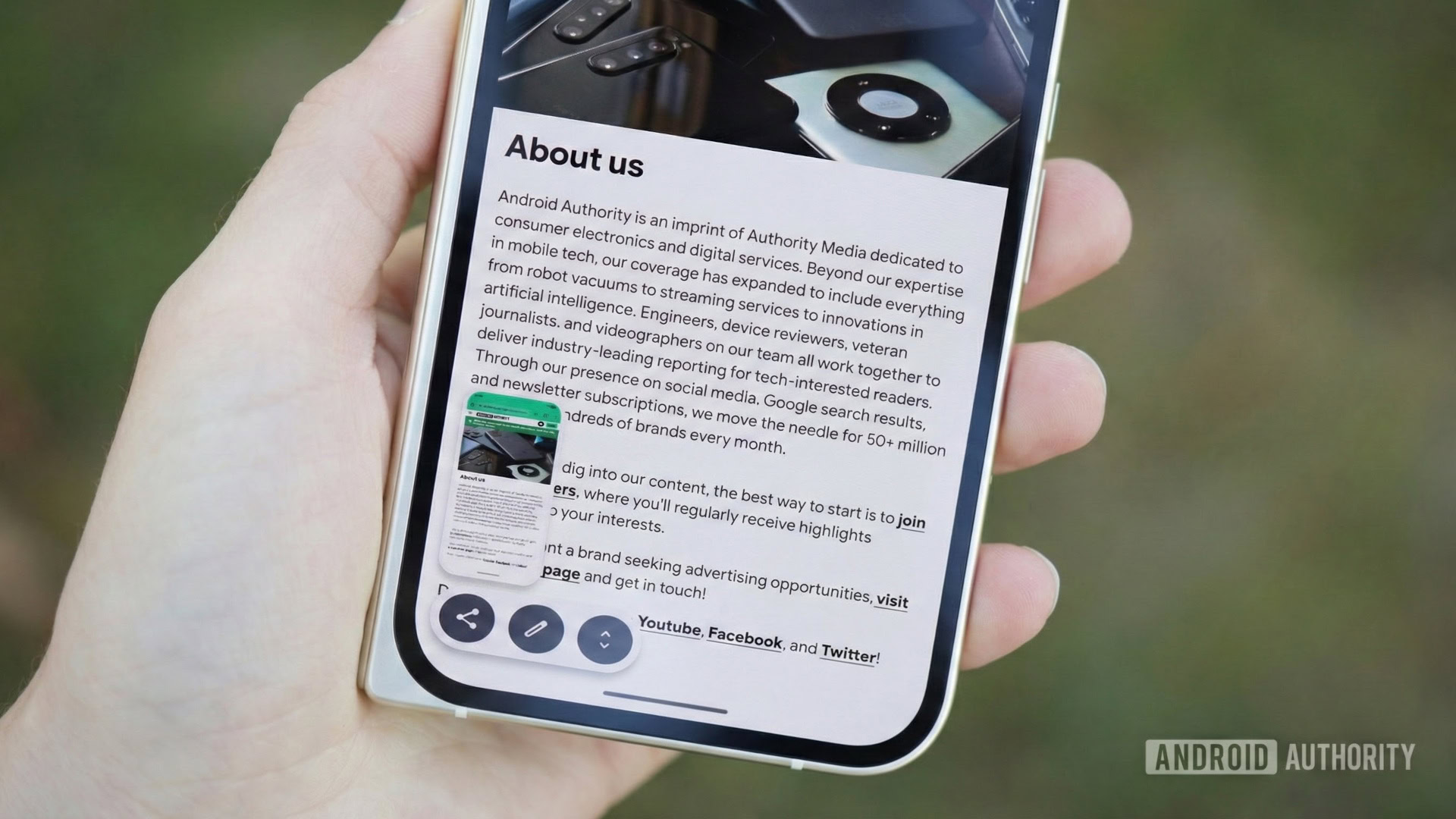
Image of a Pixel 10 Pro Fold showing Android’s screenshot preview UI. Original photo by Joe Maring, modified with Gemini Nano Banana Pro to show the screenshot UI.
TL;DR
- We managed to activate two new buttons in the screenshot overlay in Android 17 QPR1 Beta 3.
- The “Copy to clipboard” button copies the screenshot to your clipboard for easier pasting into apps, while the “Open in folder” button opens the screenshot in the Files app.
- These buttons were also spotted in the leaked Aluminium OS build, and enabling them disables long screenshots on phones, suggesting they are intended for Aluminium OS devices.
It’s been a very busy week for Google, as we were not only treated to a ton of announcements at Google I/O 2026, but also had Wear OS 7 and Android 17 QPR1 Beta 3 drop alongside. We’ve been digging through the QPR release to find new features, and we’ve spotted two new buttons that will help users who take a lot of screenshots — but perhaps not on their phones.
In Android 17 QPR1 Beta 3, we managed to enable two new icons/buttons in the screenshot overlay. These are “Copy to clipboard” and “Open in folder.”

AssembleDebug / Android Authority
Don’t want to miss the best from Android Authority?


As the name implies, the “Copy to clipboard” icon copies the screenshot to your clipboard, allowing you to paste it directly into other apps that support pasting images into text input fields. Since the screenshot resides in your clipboard (until pasted or cleared), you can also see it as an option in keyboard apps that suggest clipboard contents.

AssembleDebug / Android Authority
Note that Gboard already has a built-in feature that users can enable to show recent screenshots, so this feature will be useful for other keyboard apps.

AssembleDebug / Android Authority
The “Open in folder” icon opens the screenshots folder in the built-in Files app (not to be confused with the Files by Google app).
When we enabled these two icons, we lost the option to take a long screenshot, as it no longer appears after taking a screenshot. The most plausible reason for this anomaly is that the “Copy to clipboard” and “Open in folder” options aren’t meant to appear on phones, but instead on big screen devices like tablets or Aluminium OS-powered Googlebooks and laptops. In fact, we also see the two options in the Aluminium OS build leak, further adding weight to the theory.

For now, Google hasn’t shared information on these two new icons — what devices they are intended for and when they will roll out. We will keep you updated when we learn more.
⚠️ An APK teardown helps predict features that may arrive on a service in the future based on work-in-progress code. However, it is possible that such predicted features may not make it to a public release.
Thank you for being part of our community. Read our Comment Policy before posting.
[ad_2]
Source link
More on android 17 qpr1 beta 3 reveals
Stay tuned for updates on android 17 qpr1 beta 3 reveals as the story develops. Related: Google seeds Android 17 QPR1 Beta 4 with several bug fixes.
Frequently Asked Questions
Two new buttons were activated in the screenshot overlay in Android 17 QPR1 Beta 3: Copy to clipboard, which copies the screenshot for pasting into apps, and Open in folder, which opens the screenshot in the Files app.
Since the screenshot resides in your clipboard until pasted or cleared, you can paste it directly into apps that support pasting images, and see it as an option in keyboard apps that suggest clipboard contents. Gboard already has a built-in feature for showing recent screenshots.
The buttons were also spotted in the leaked Aluminium OS build, and enabling them disables long screenshots on phones, suggesting they are intended for Aluminium OS devices rather than phones.
Mishaal Rahman and the Android Authority team activated the buttons by digging through Android 17 QPR1 Beta 3, released alongside Google I/O 2026.